
Use credits
Credits are the way to pay only for what you need: a session, an analysis, a review… They work whether you have a plan or not, and your balance never expires.
What you need: Your account and a payment method.
The screenshots show the Spanish interface; the texts appear in the same order in your language.
- 1
Open "Credits"
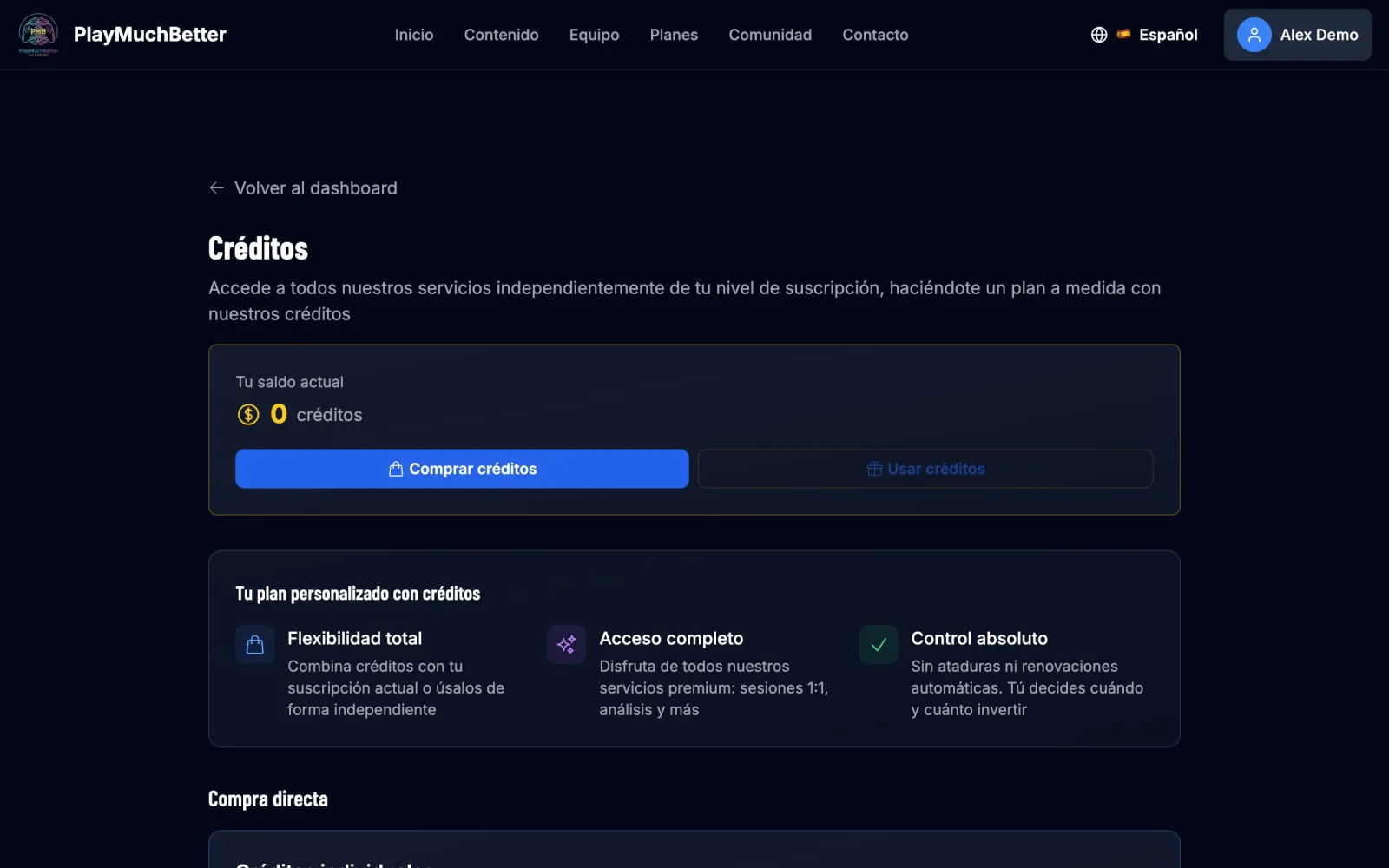
From your dashboard, press Buy credits in the credits block. At the top you'll see your current balance.
- 2
Choose how many to buy
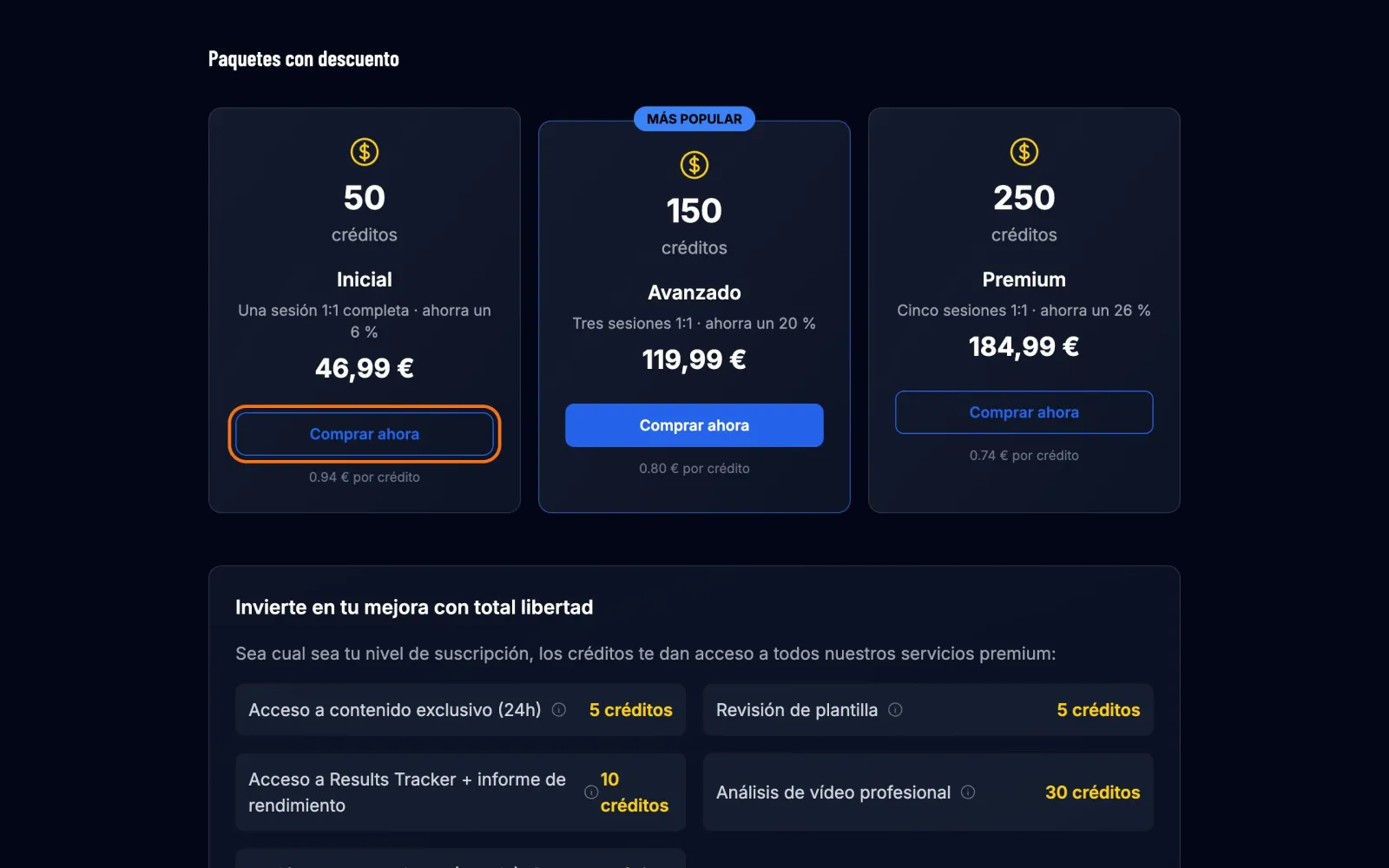
You can buy credits individually, just the ones you need, or a discounted package of 50, 150 or 250 credits: the more you buy, the cheaper each one is. Press Buy now on the one you want.
- 3
Pay on Stripe
Same as with a subscription: card, Apple Pay or Link.
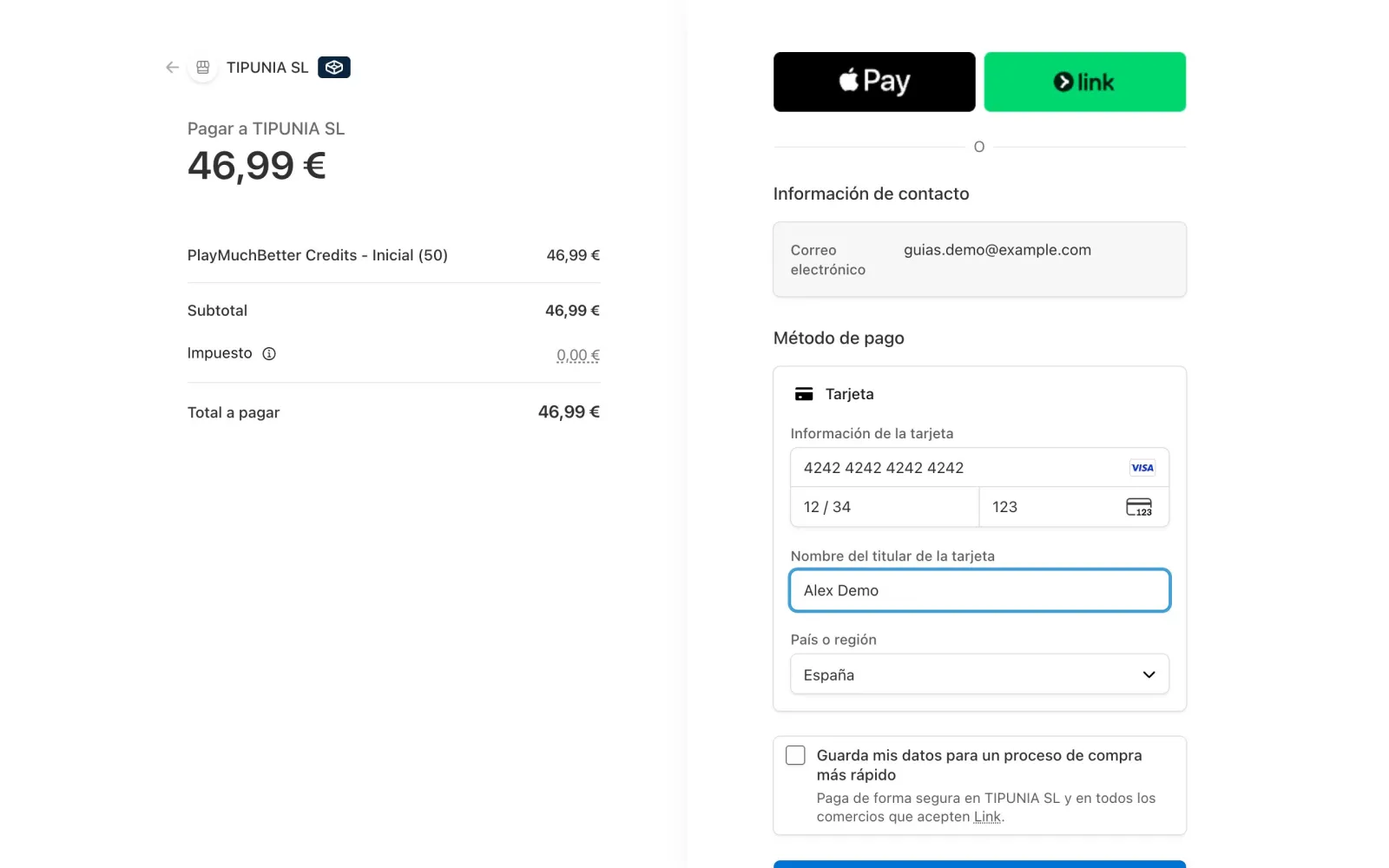
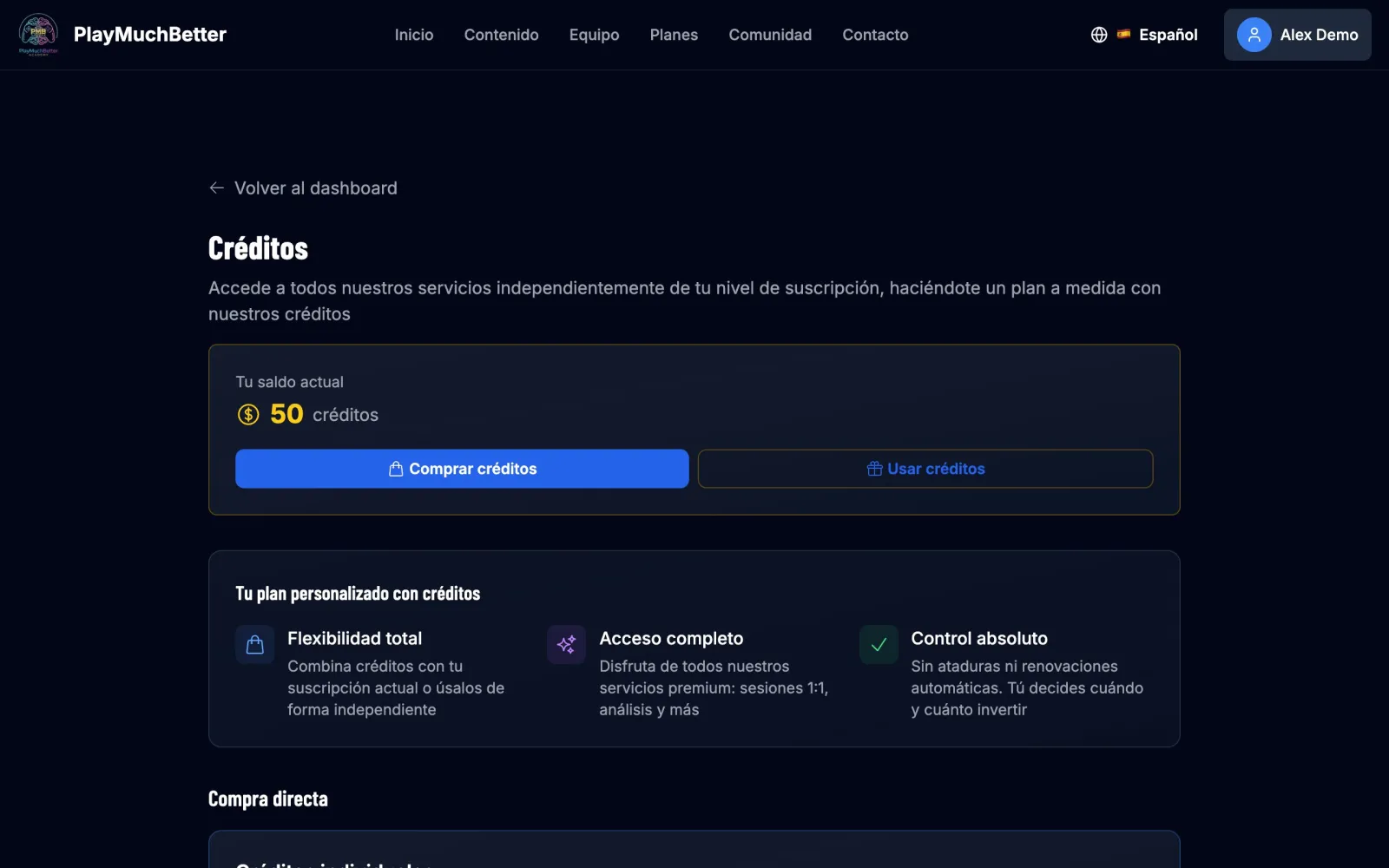
When you come back, the balance is already in your account.
- 4
Redeem them for a service
In Premium Services you have everything you can get with credits:
- All the content for 24 hours: 5 credits
- Squad review: 5 credits
- 30 days of Results Tracker with performance report: 10 credits
- Video analysis: 30 credits
- 1:1 session: 50 credits
Press Redeem for… on the one you want.
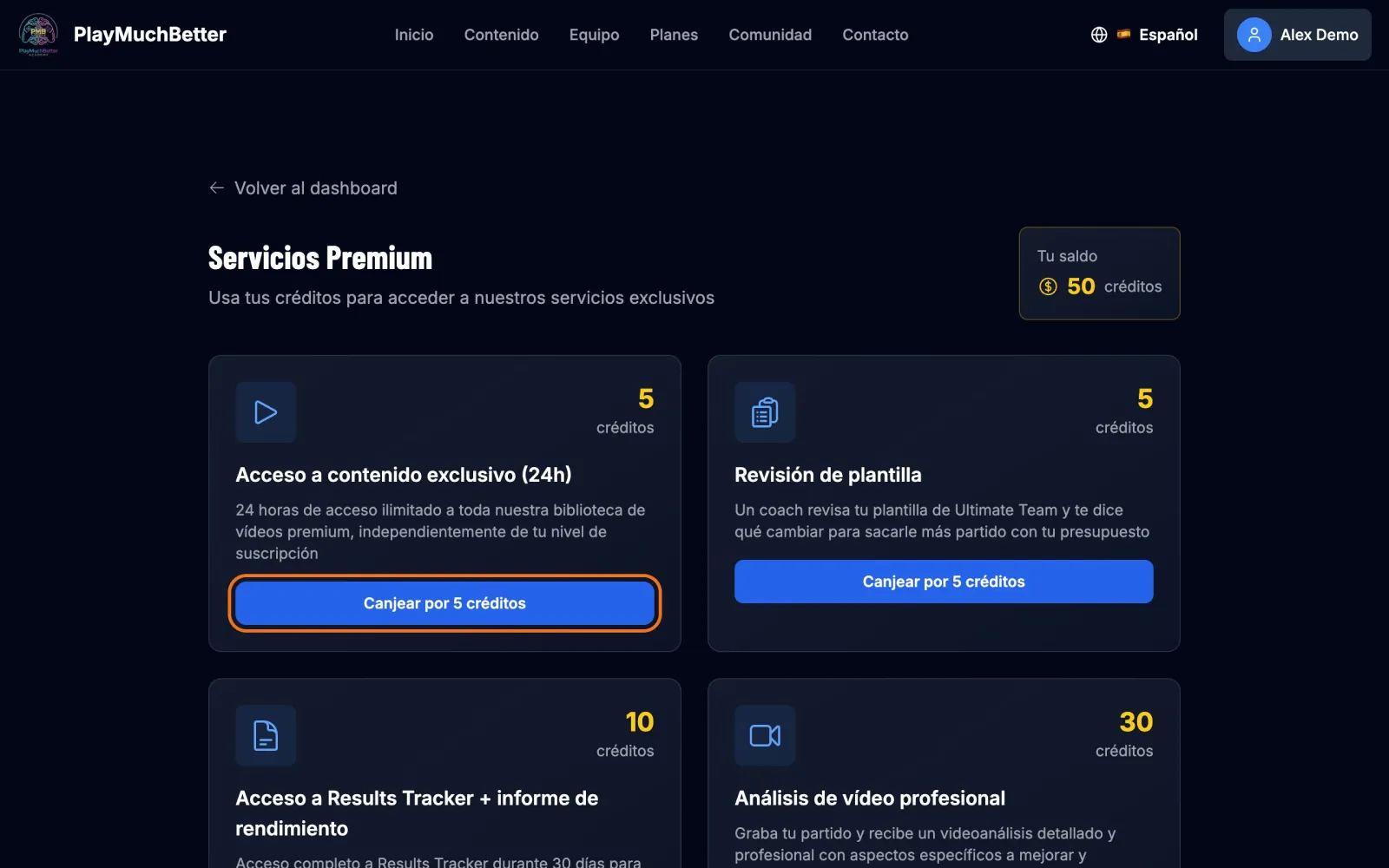 Redemption is immediate: when you press the button the credits are deducted, with no confirmation step.
 - 5
Check your history
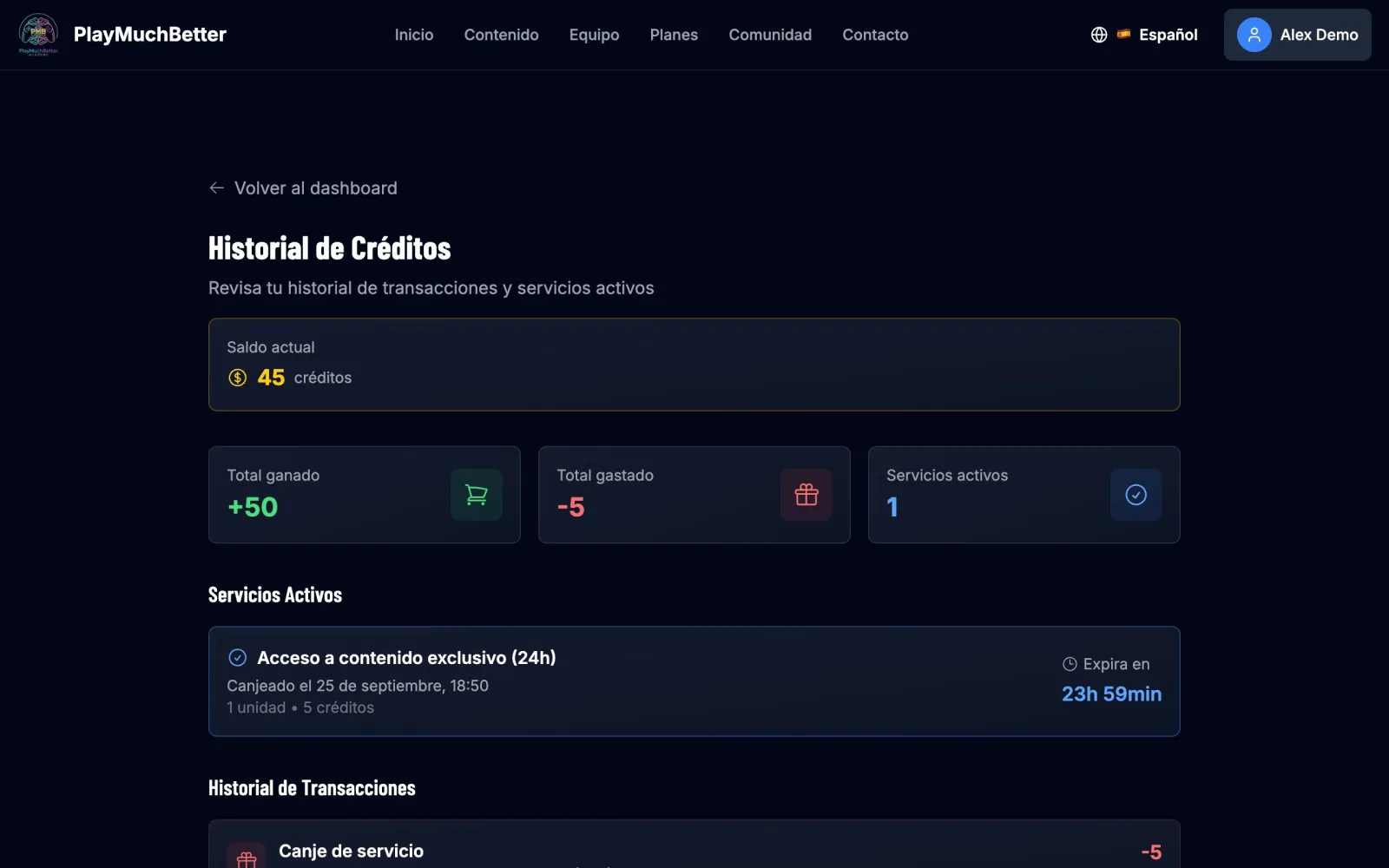
In Credit history you see every purchase and every redemption, and the active services with the time they have left.
Short of credits for a service? From the service's own screen you press Get credits, buy just the ones missing and, once the payment is confirmed, you come back to it to finish: nothing is redeemed on its own.
Stuck?
Check the FAQ or write to us.