
Manage or cancel your subscription
Everything to do with charges is managed in Stripe's billing portal: card, billing details, invoices and cancellation.
What you need: An active subscription.
The screenshots show the Spanish interface; the texts appear in the same order in your language.
- 1
Go to "My Subscription"
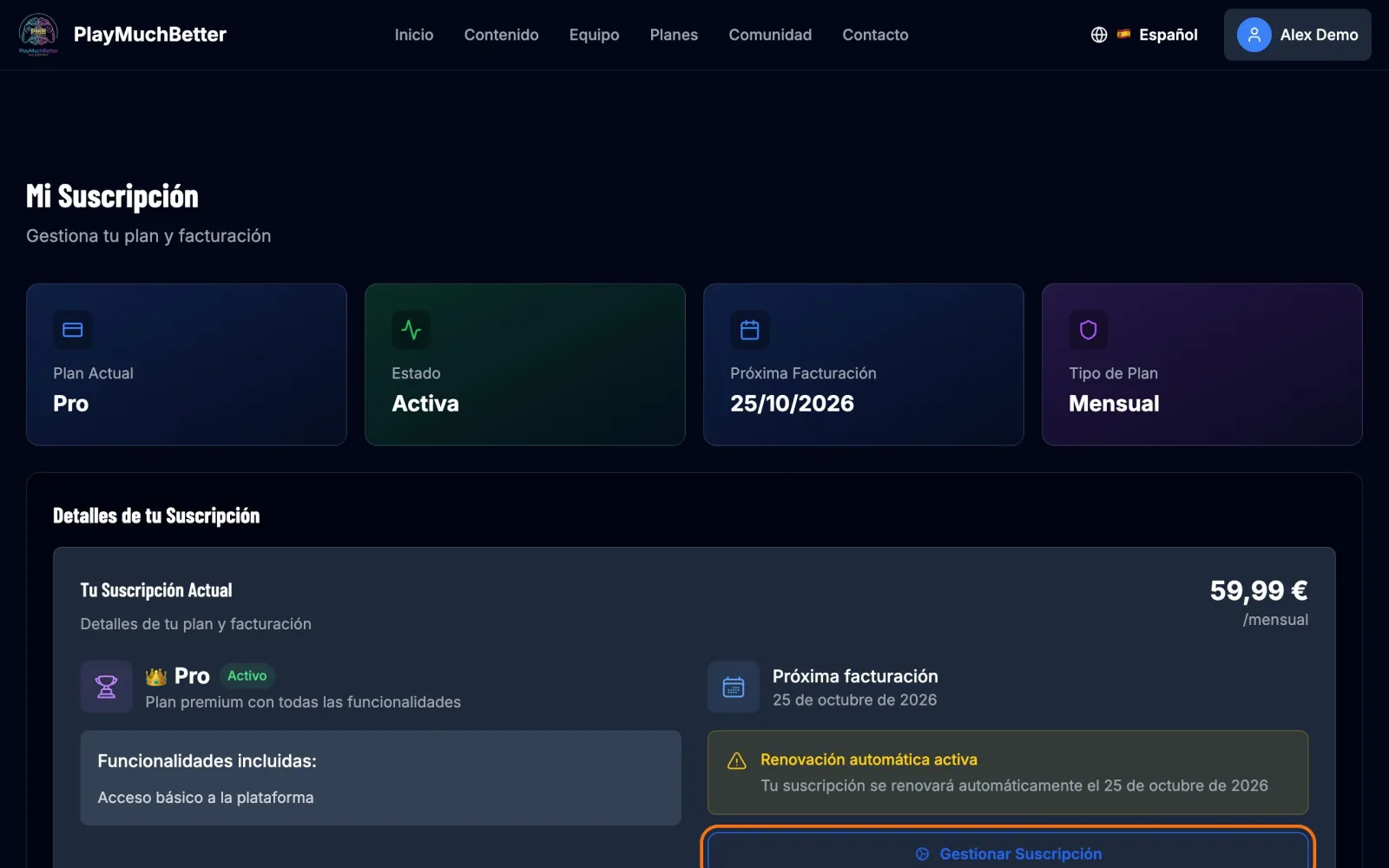
From your dashboard, in the My Subscription block, or directly at My Subscription. You'll see your plan, its status and the next charge date. Press Manage subscription.
- 2
You're in your billing portal
From here you can:
- See your plan and the date of the next charge.
- Change or add a payment method.
- Update your billing details.
- Check and download your invoice history.
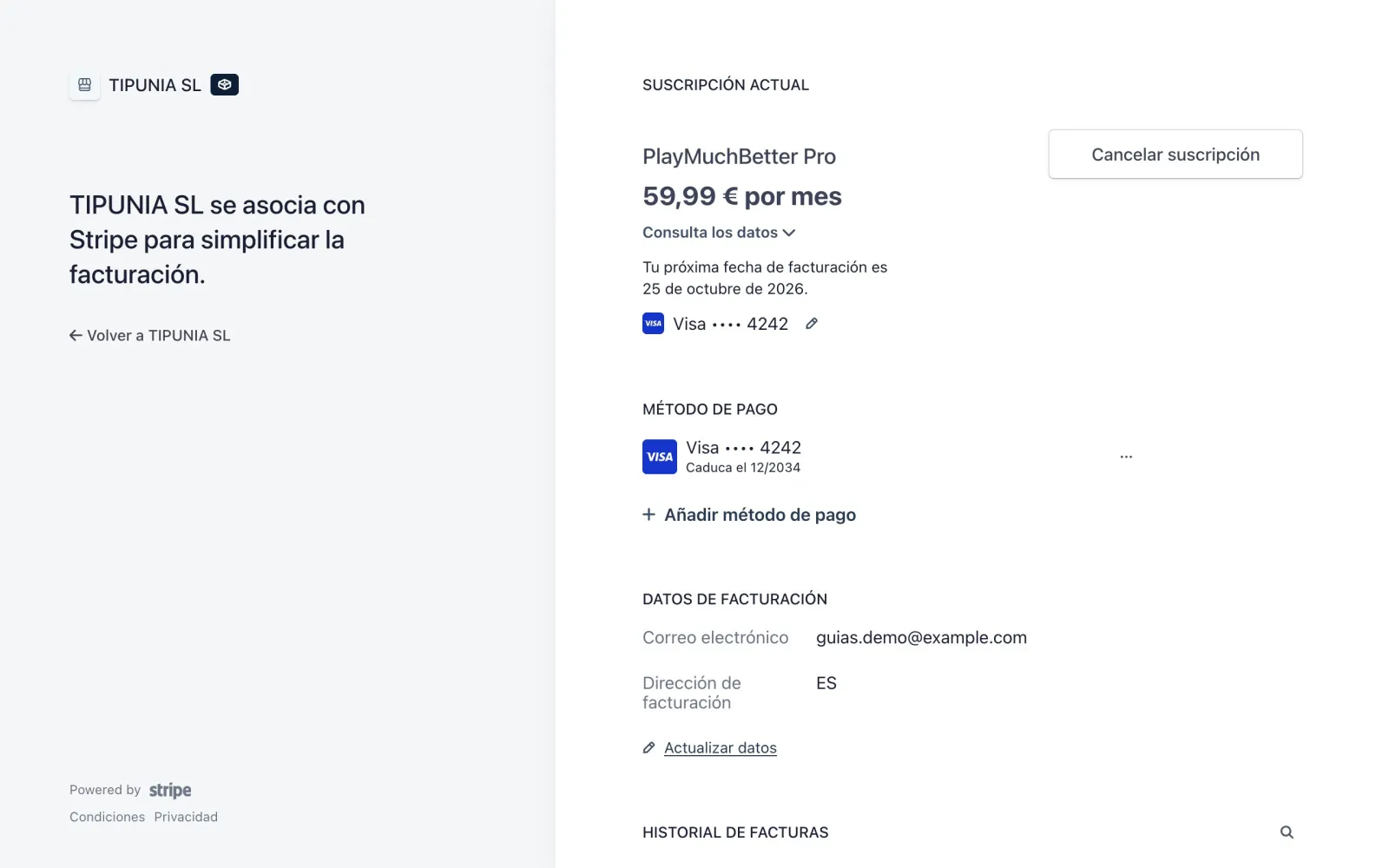
To go back to the website, press Return to TIPUNIA SL at the top left.
- 3
If you want to cancel
Press Cancel subscription. Stripe shows you a summary before you confirm:
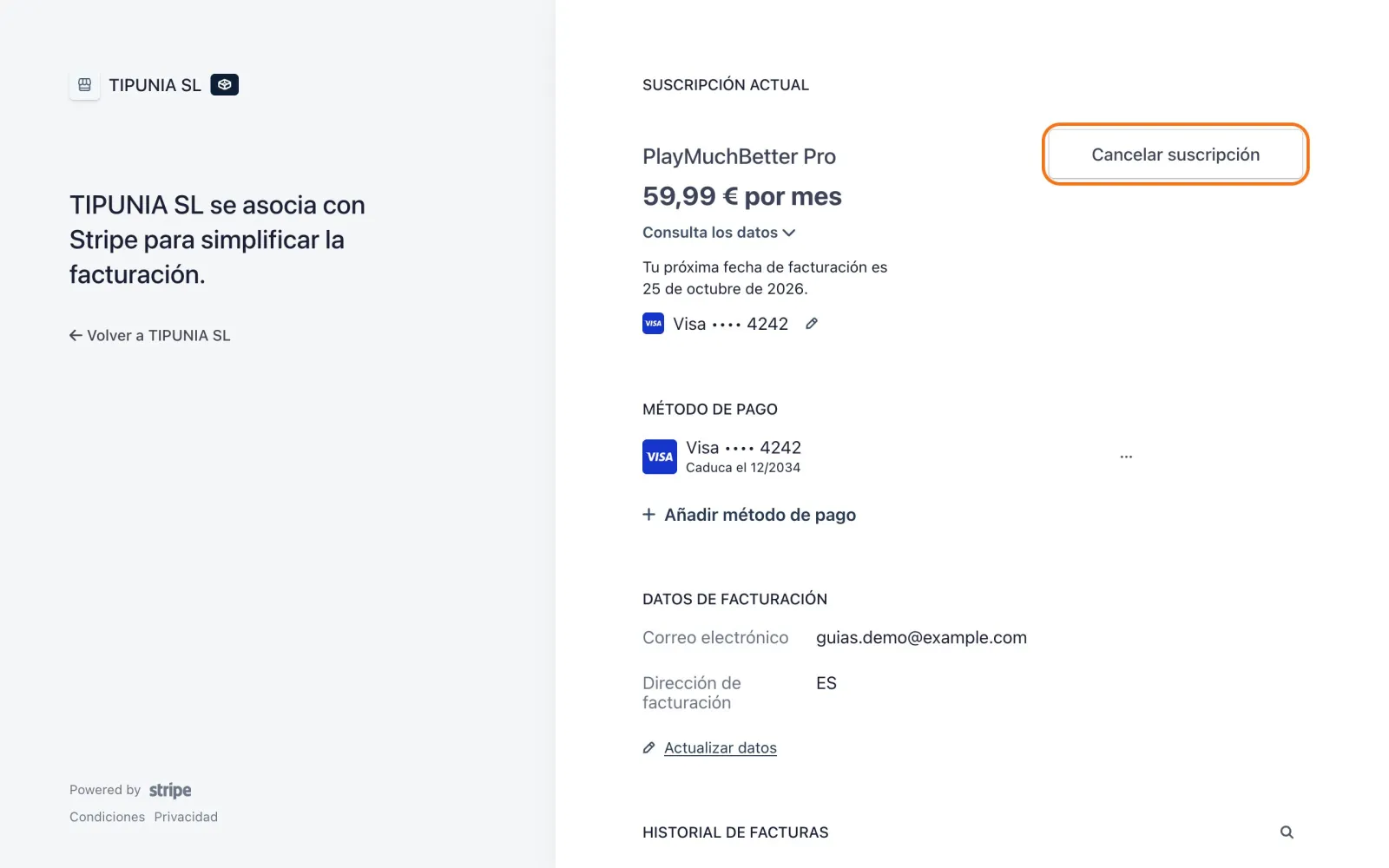
Button to cancel 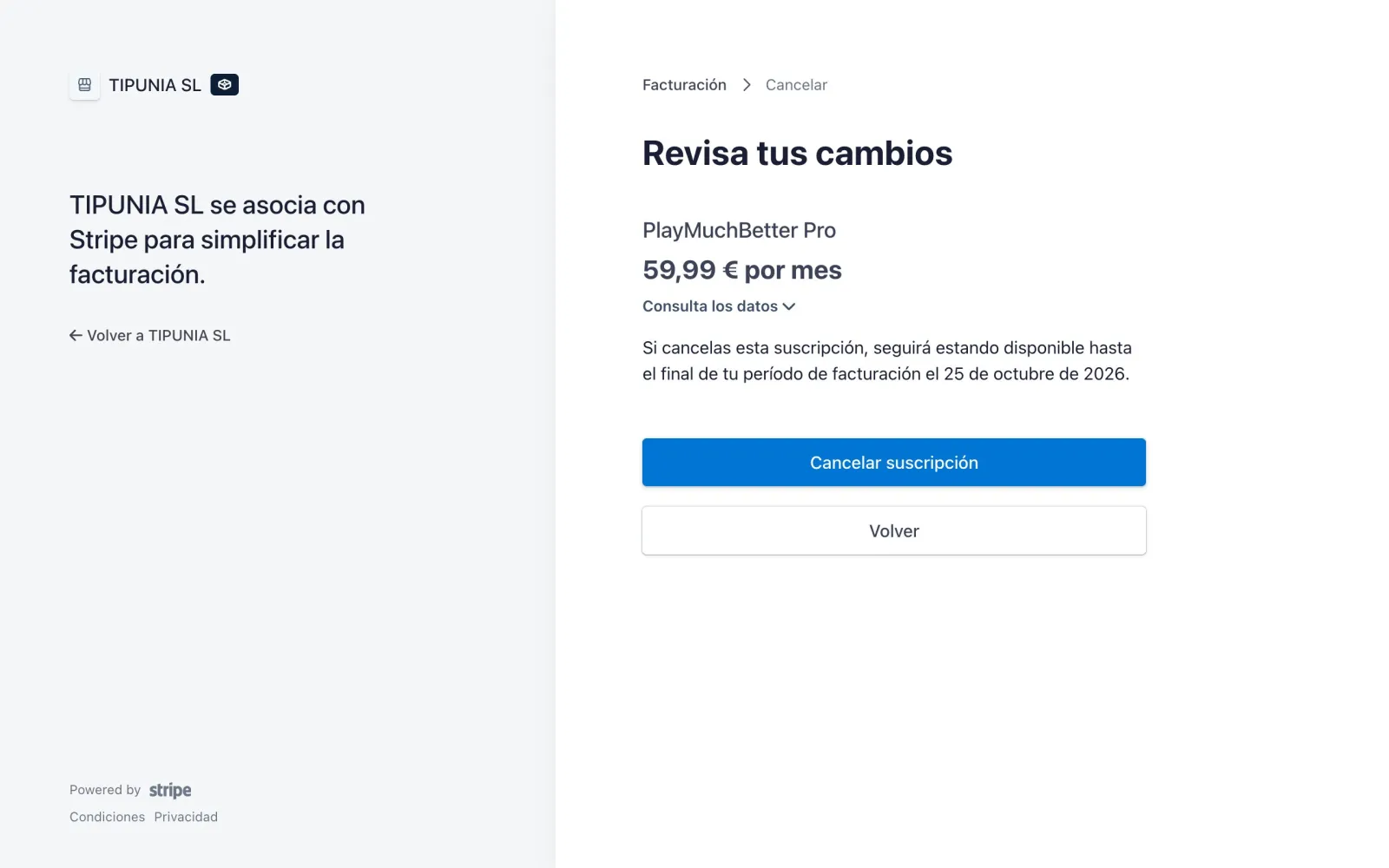
Confirmation When you cancel, the subscription doesn't renew, but you keep access until the end of the period you've already paid for. That period isn't refunded.
The sessions, analyses and reviews you haven't used expire when that last period ends. Use them before then.
Stuck?
Check the FAQ or write to us.