
Subscribe to a plan
Each plan builds on the previous one: more content, and every month 1:1 sessions, video analyses and squad reviews. Payment goes through Stripe's secure checkout.
What you need: Your account and a credit or debit card (or Apple Pay / Link).
The screenshots show the Spanish interface; the texts appear in the same order in your language.
- 1
Compare the plans
Open Plans in the menu. At the top you choose whether to see monthly or yearly prices (yearly gives you two months free). In large type, what you get every month; below, what each plan adds over the previous one.
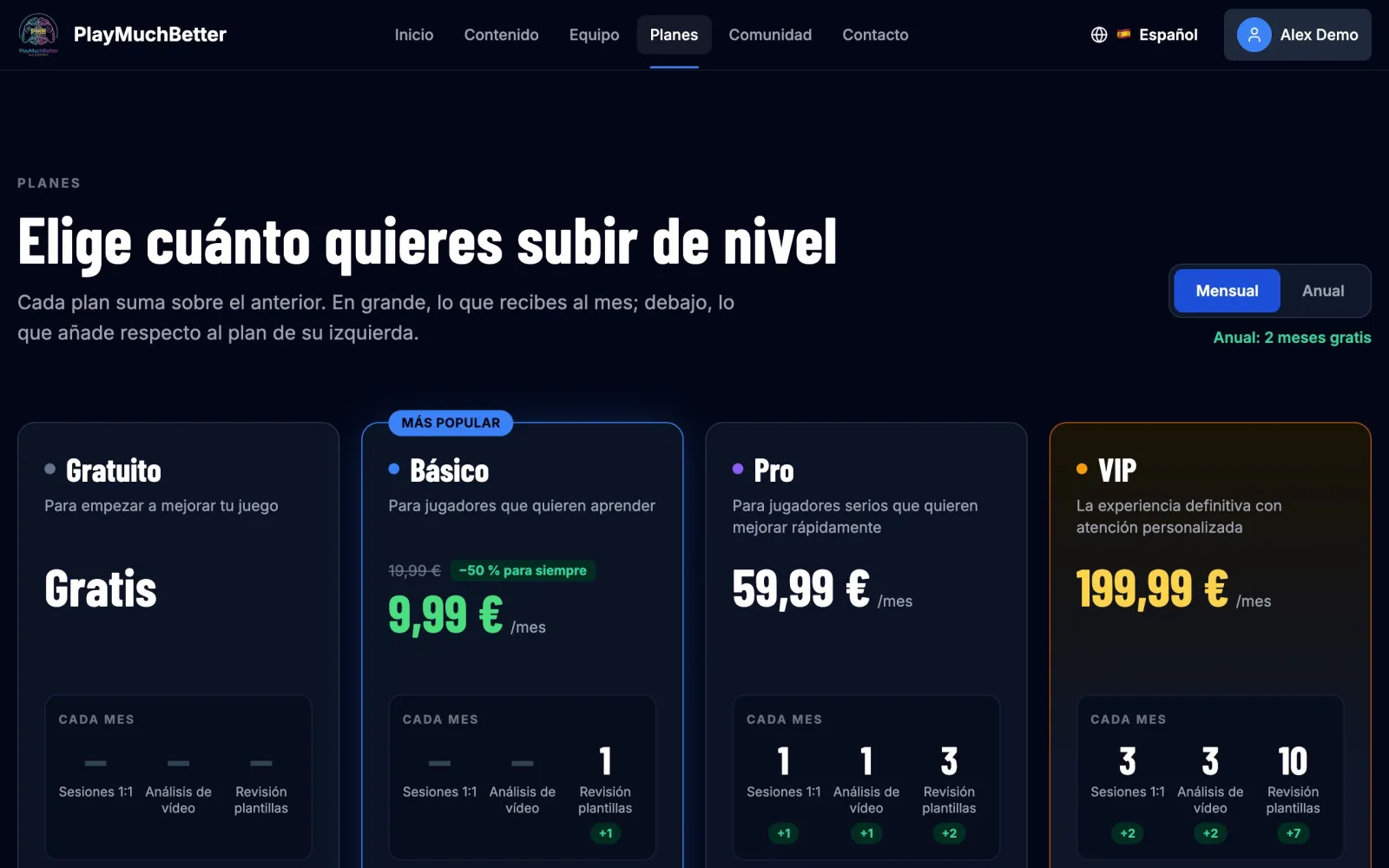
- 2
Press "Upgrade Plan" on the one you want
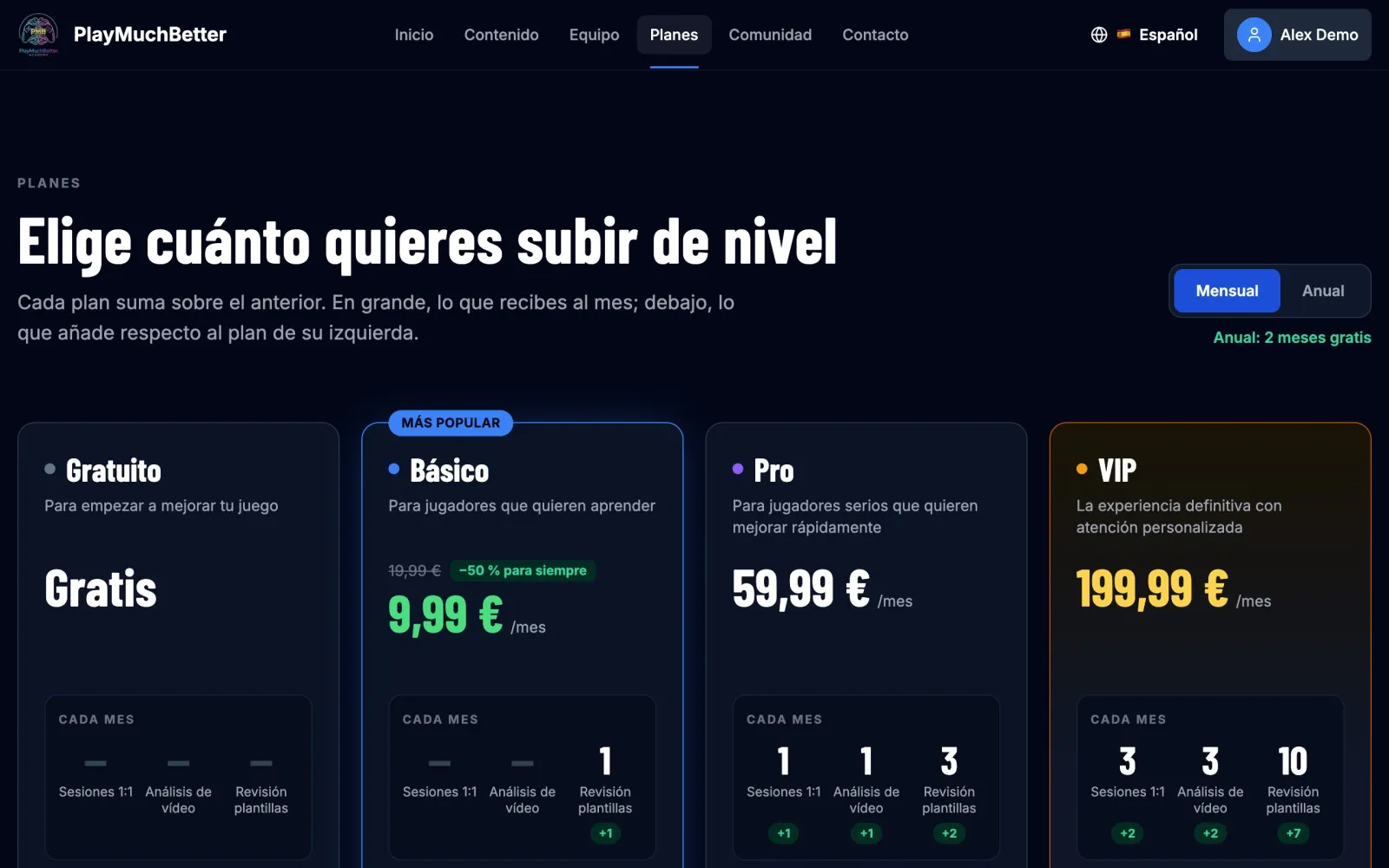
- 3
Check the plan and confirm it
You'll see the summary of the plan with everything it includes. Here you can also switch between monthly and yearly. When you're ready, press Upgrade to….
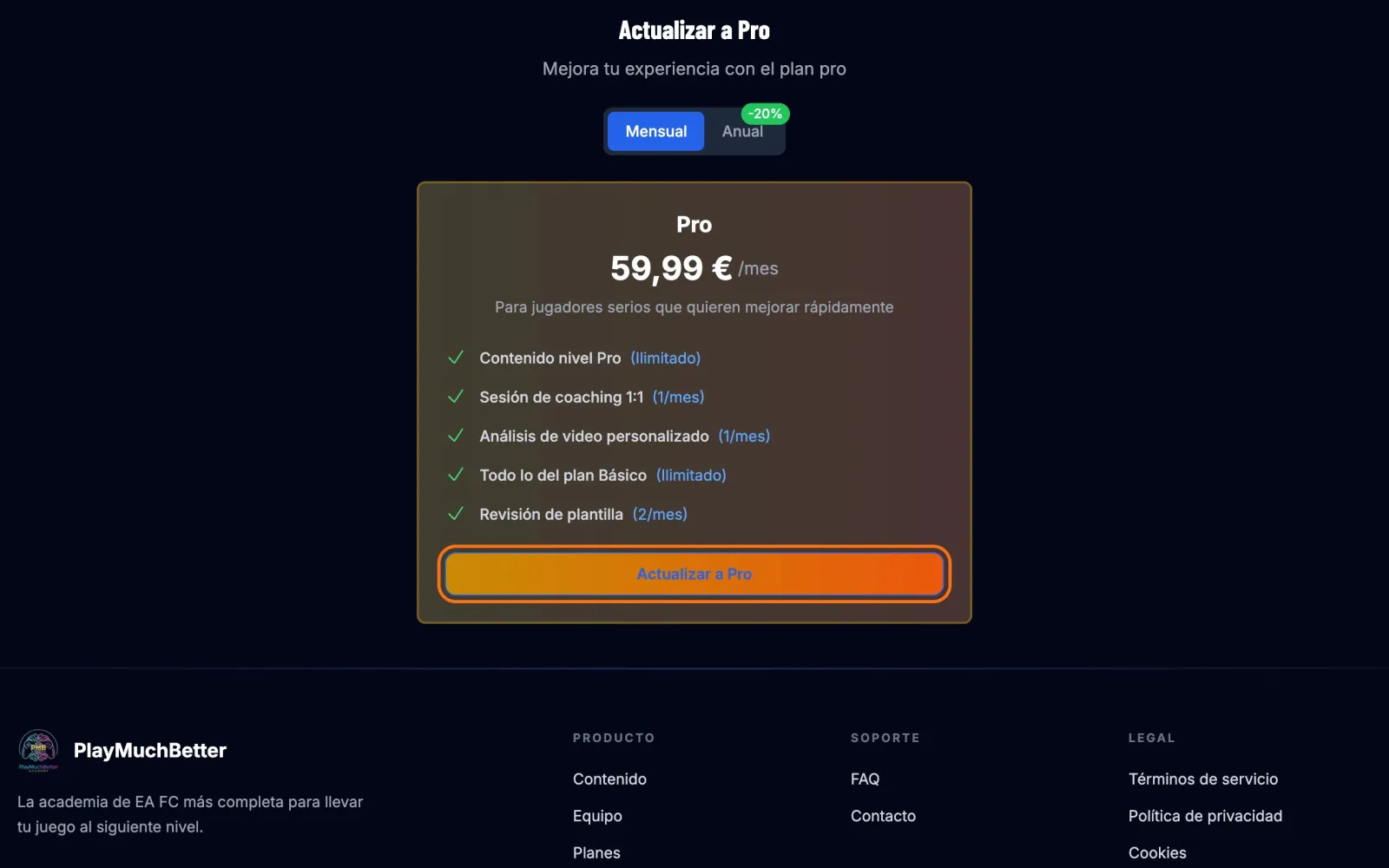
- 4
Pay on Stripe
Stripe's payment page opens. You can pay by card, Apple Pay or Link, and if you have a promo code, add it under Add promotion code.
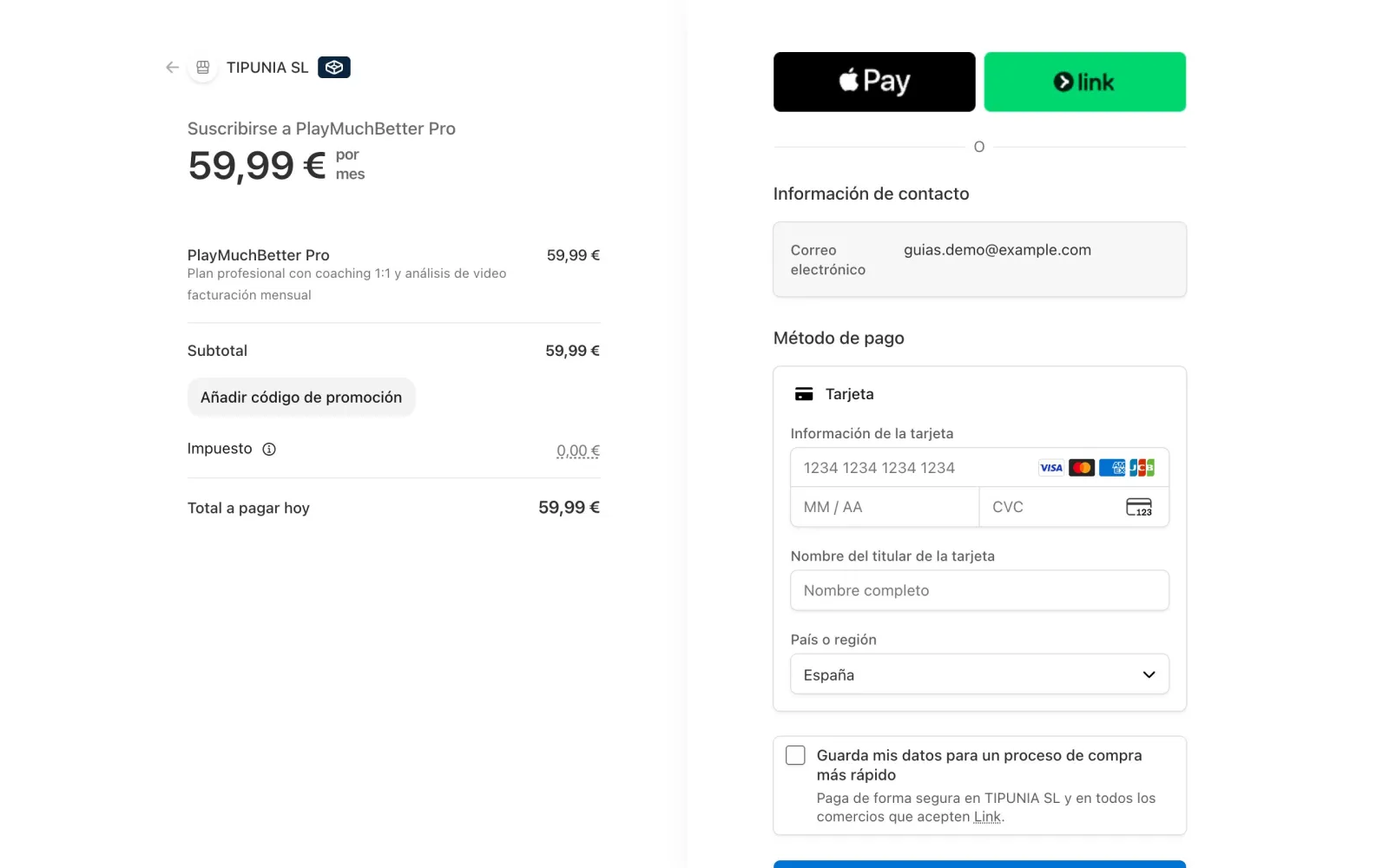
Fill in your card details and press Pay and subscribe.
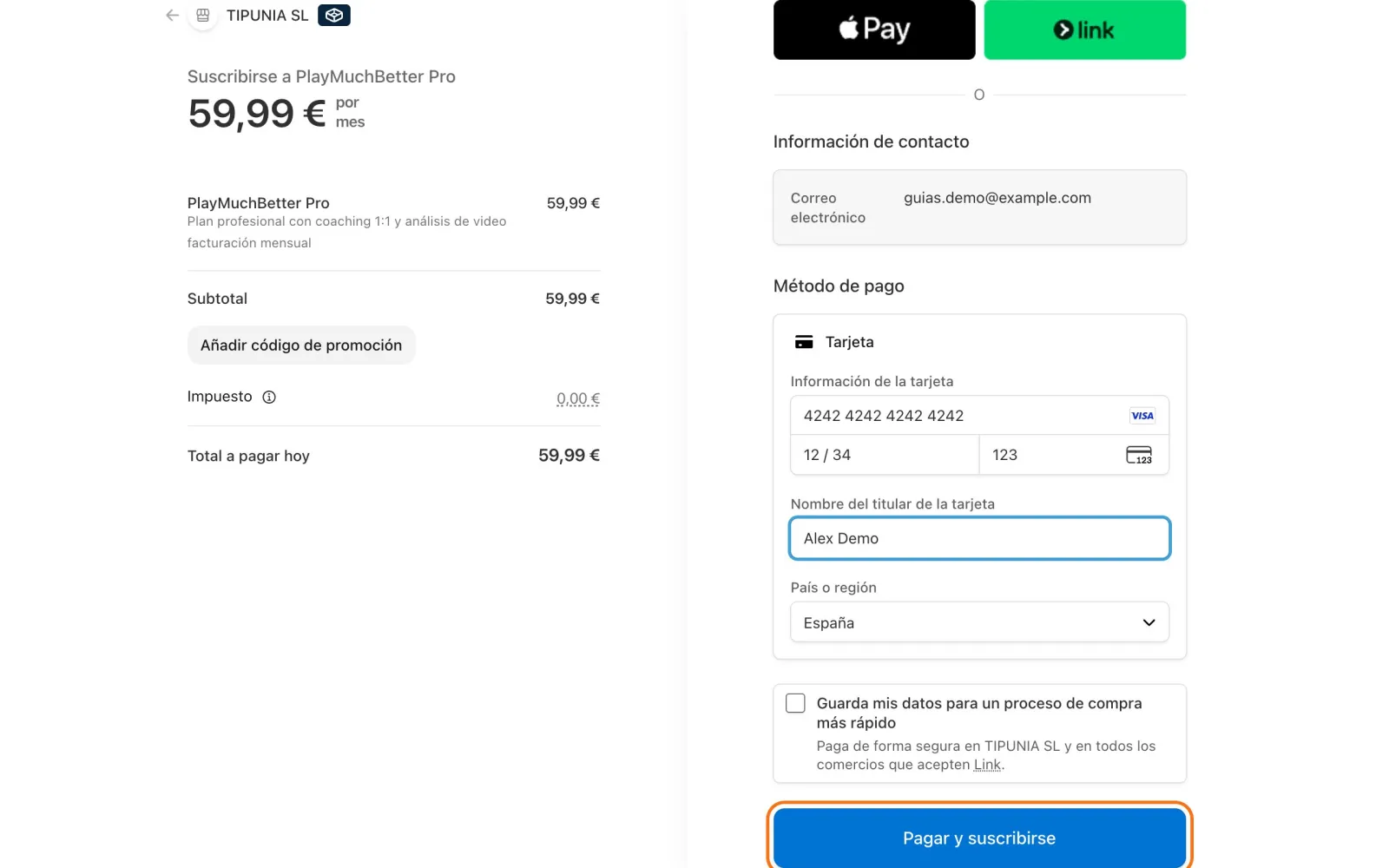 Your payment details are handled by Stripe. We never see your card number.
 - 5
Done: you have your plan
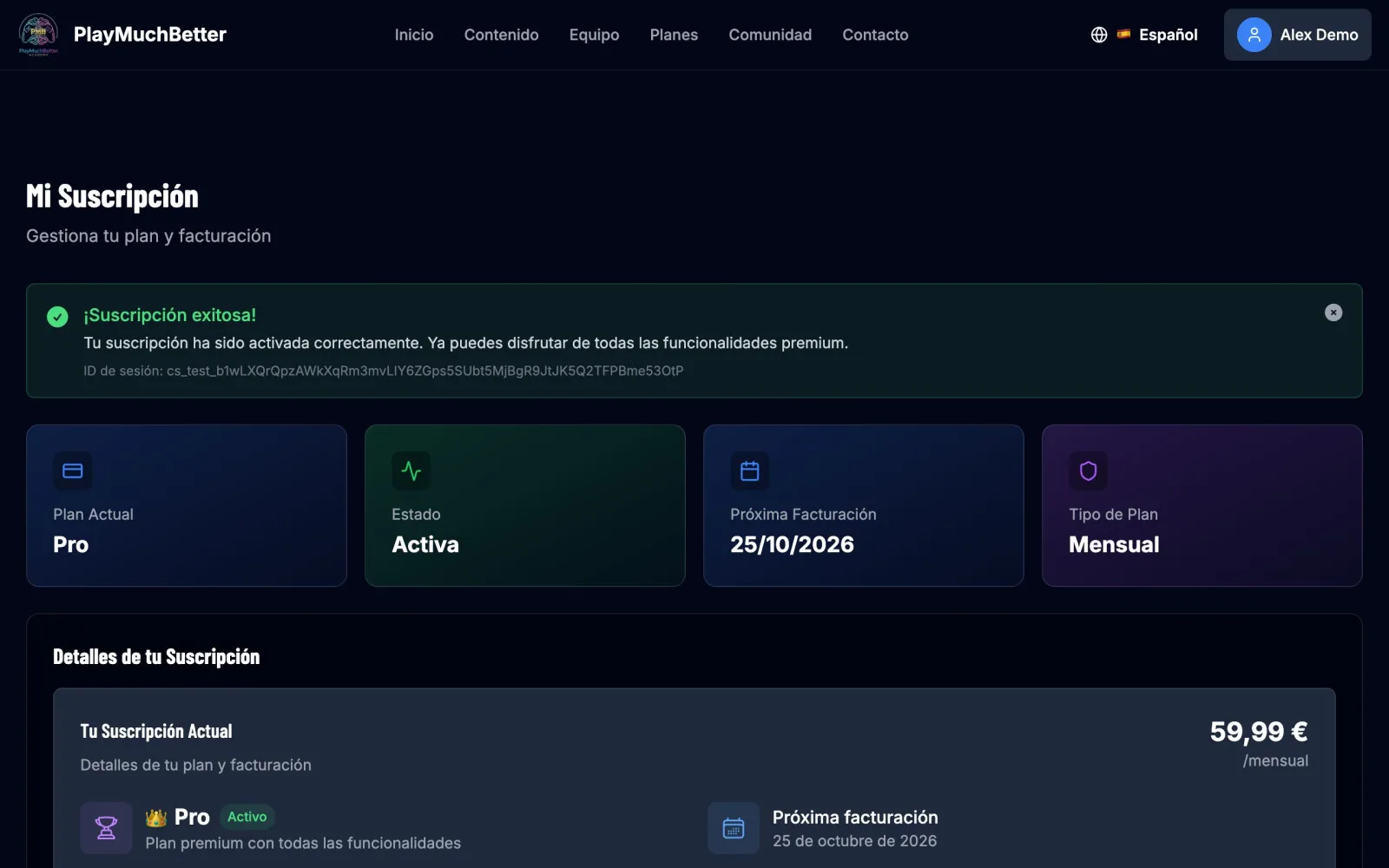
You're back on "My Subscription" with the notice "Subscription successful!", your plan, its status and the date of the next charge.
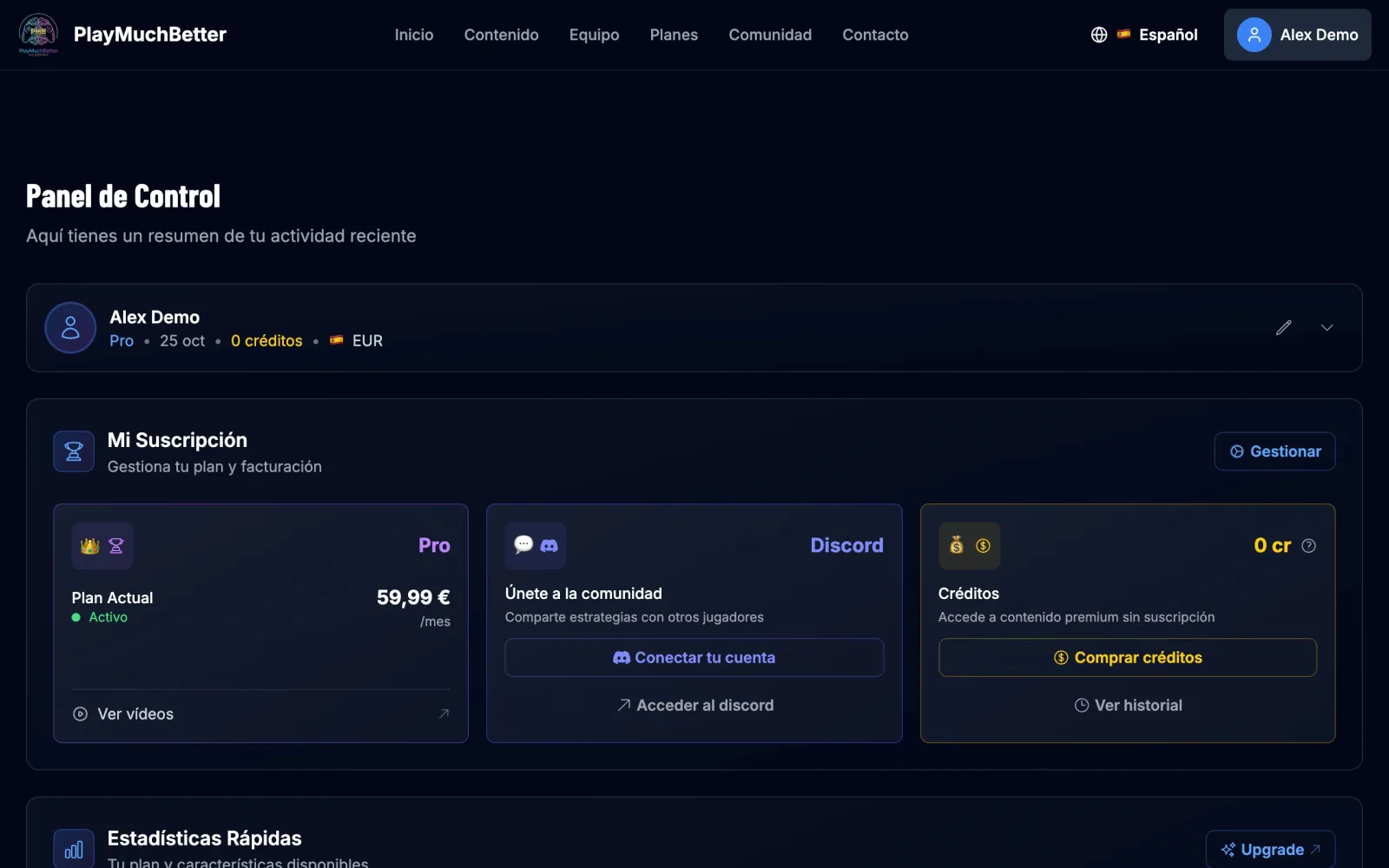
On your dashboard, Quick Stats already shows what you get this month. Press any card to use it.
Stuck?
Check the FAQ or write to us.