
Join Discord
Our Discord brings together players who want to improve: strategies, questions, announcements and your plan's channels.
What you need: A Discord account.
The screenshots show the Spanish interface; the texts appear in the same order in your language.
- 1
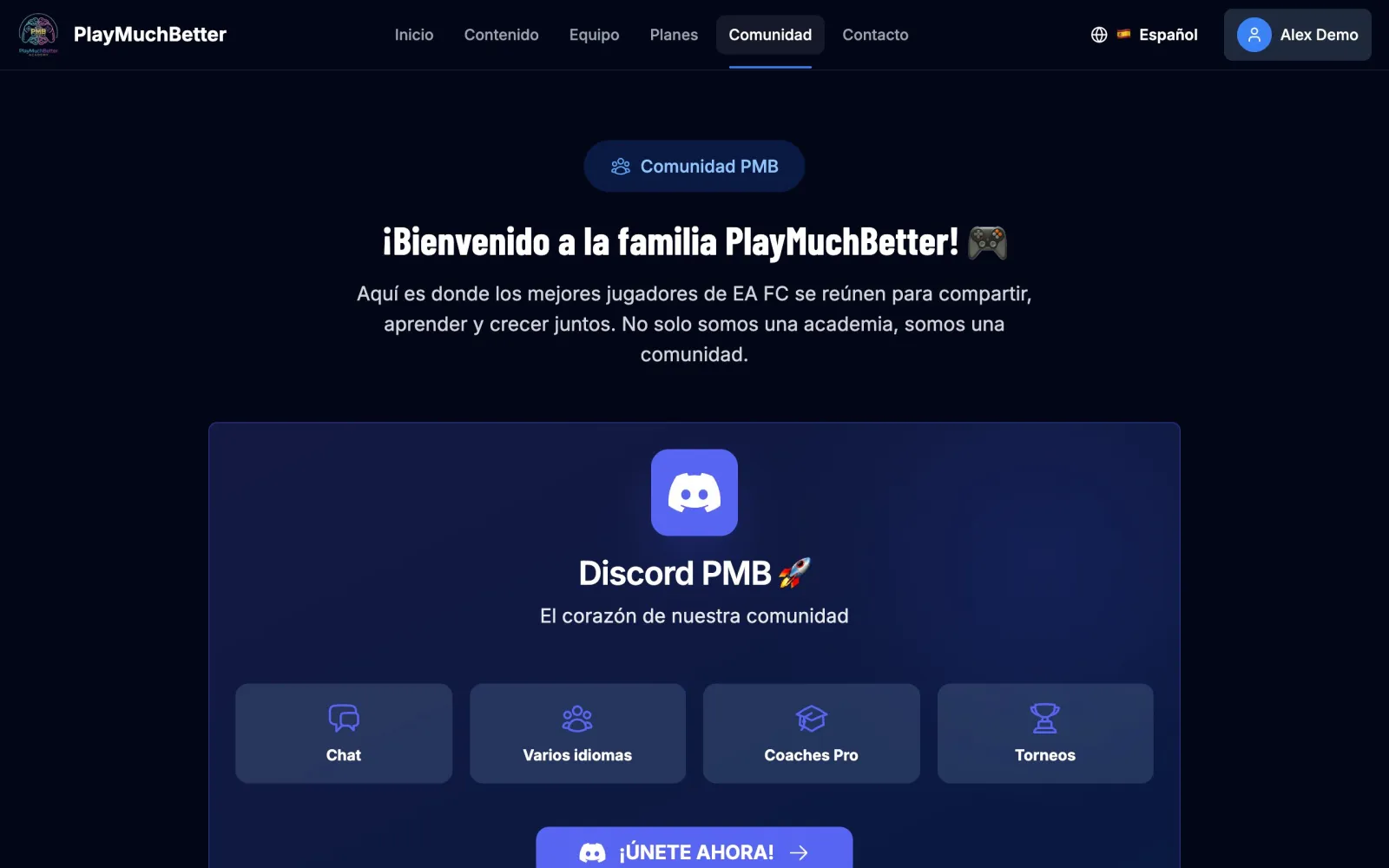
Join the server
Open Community in the menu and press JOIN NOW!.
- 2
Link your account
From your dashboard, press Connect your account in the Discord block, or go to Discord connection, and press Connect with Discord. If you're not on the server yet, the bot invites you when you link.
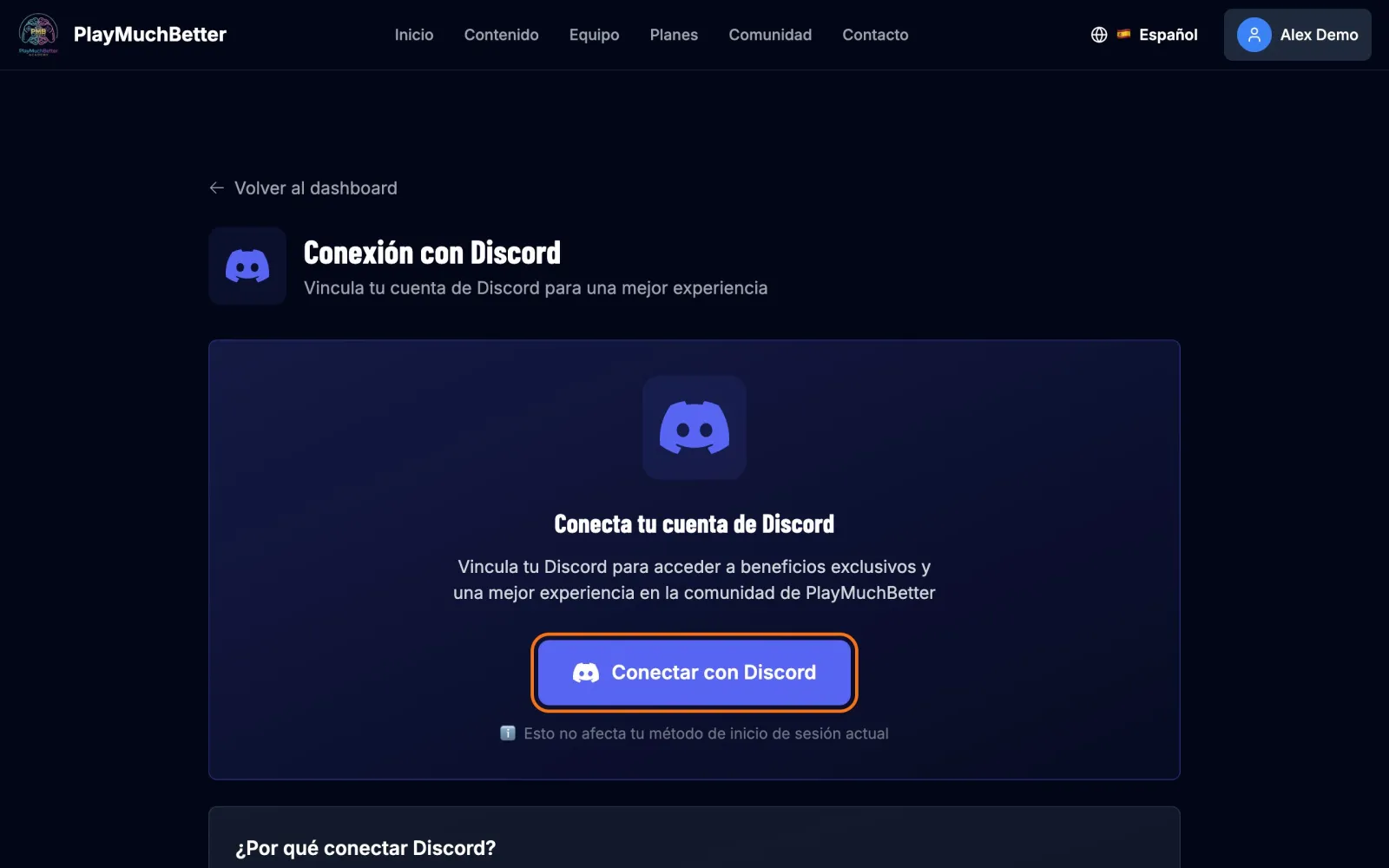
When you link, the bot gives you your plan's role (Basic, Pro or VIP) and, where it applies, the community ones (Comunidad Chousita, Subs Chousita, Gravesen members). Each role opens its channels: that's where the masterclasses and your plan's announcements are. If you change plan, the roles update on their own.
Linking Discord doesn't change how you sign in: you keep signing in as always.
Stuck?
Check the FAQ or write to us.