
Chousita and Gravesen communities
If you follow Chousita or Gravesen, you have your own pages on PMB to prove your community and get your perks: a free squad review for the Comunidad Chousita and the Discord roles for Twitch subs and YouTube members.
What you need: Your PMB account and your Discord account linked. For the subs roles, your Twitch account too.
The screenshots show the Spanish interface; the texts appear in the same order in your language.
- 1
Comunidad Chousita: claim your free review
Go to Comunidad Chousita. It's four steps and the page itself marks which ones you've done: your PMB account, Discord linked, access to the community's server (accept Chousita's invitation even if you're already on PMB and press Check community) and, finally, Claim my free review. You don't need to be a Twitch sub.
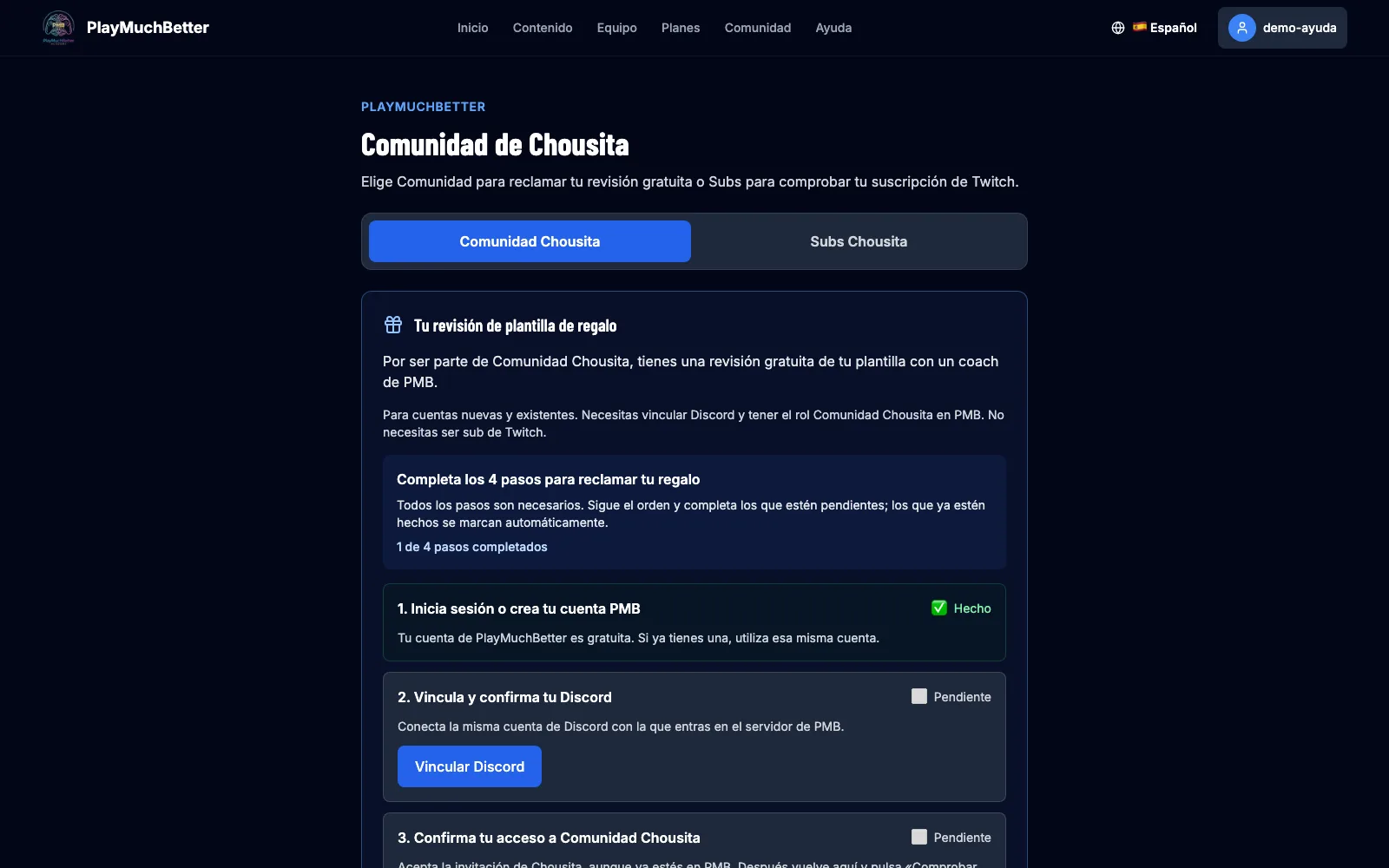 One gift per PMB account and per Discord account. From the moment you claim it you have 15 days to send your squad; the coach may deliver the review after that. How to send it is in the squad review guide.
 - 2
Chousita subs: prove your Twitch subscription
On the same page, Subs tab, press Connect Twitch and accept the permission. We check your subscription to Chousita's channel and the bot gives you the Subs Chousita role on Discord, with its channels. The check repeats on its own: if you renew or stop being a sub, the role updates.
- 3
Gravesen members: Twitch and YouTube
On Gravesen members you link Twitch just like above to prove your subscription. Paid YouTube memberships are verified by the team by hand: write to us with your username and we give you the role. Following the channel for free doesn't count as a membership.
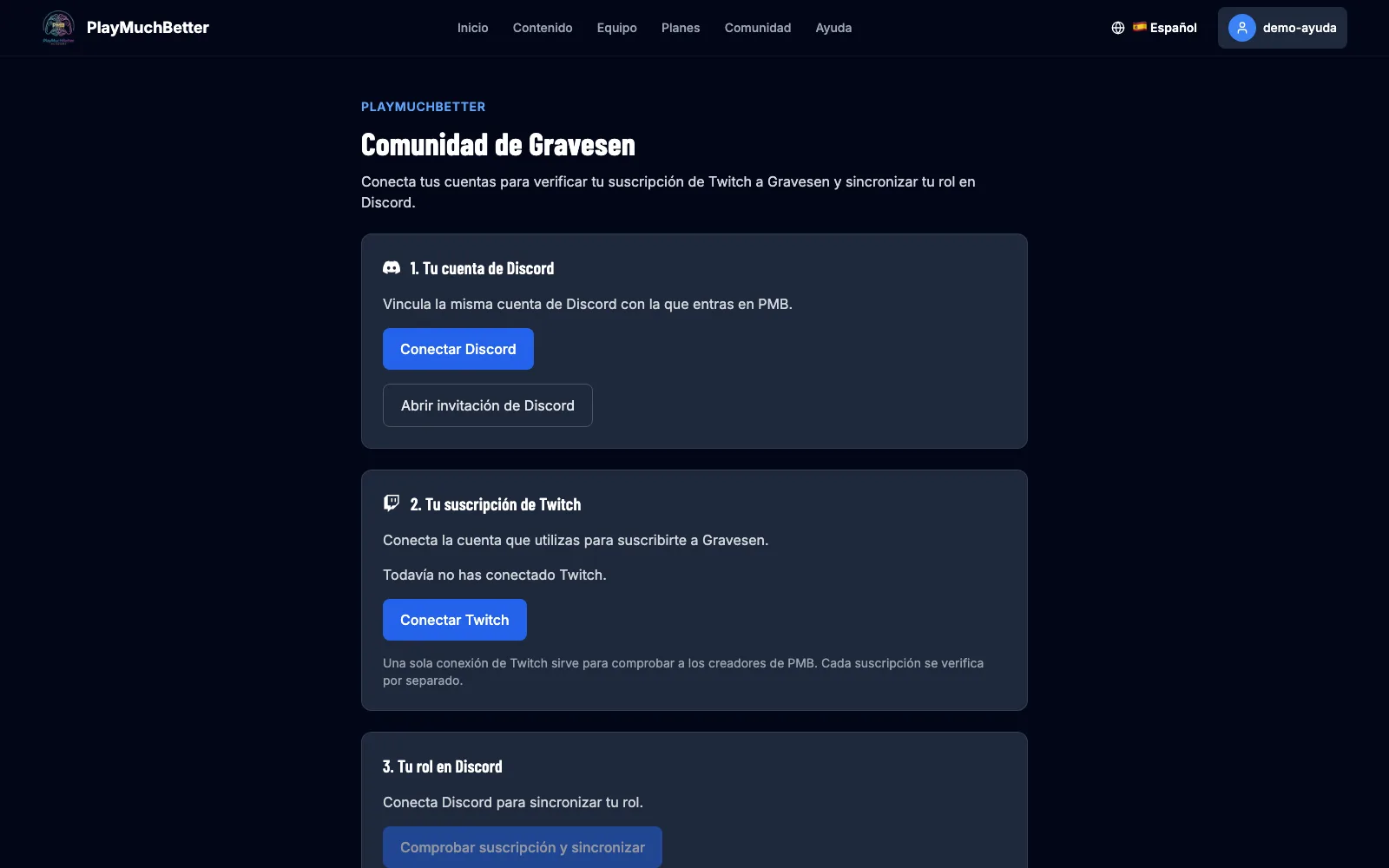
If the page can't find your role or your subscription, check that you've linked the same Discord account you use on the server. And if it still doesn't add up, open a ticket by DM to the bot or write to us from Contact.
Stuck?
Check the FAQ or write to us.