
Request a squad review
Send us screenshots of your Ultimate Team squad and tell us what you want to achieve. A coach studies it and replies in writing with specific changes: signings, sales, formation and chemistry.
What you need: An available review (1 a month on Basic, 3 on Pro, 10 on VIP, or 5 credits) and screenshots of your squad.
Coaching is in English
1:1 sessions, video analyses and squad reviews are delivered in English (or Spanish, if you prefer).
The screenshots show the Spanish interface; the texts appear in the same order in your language.
- 1
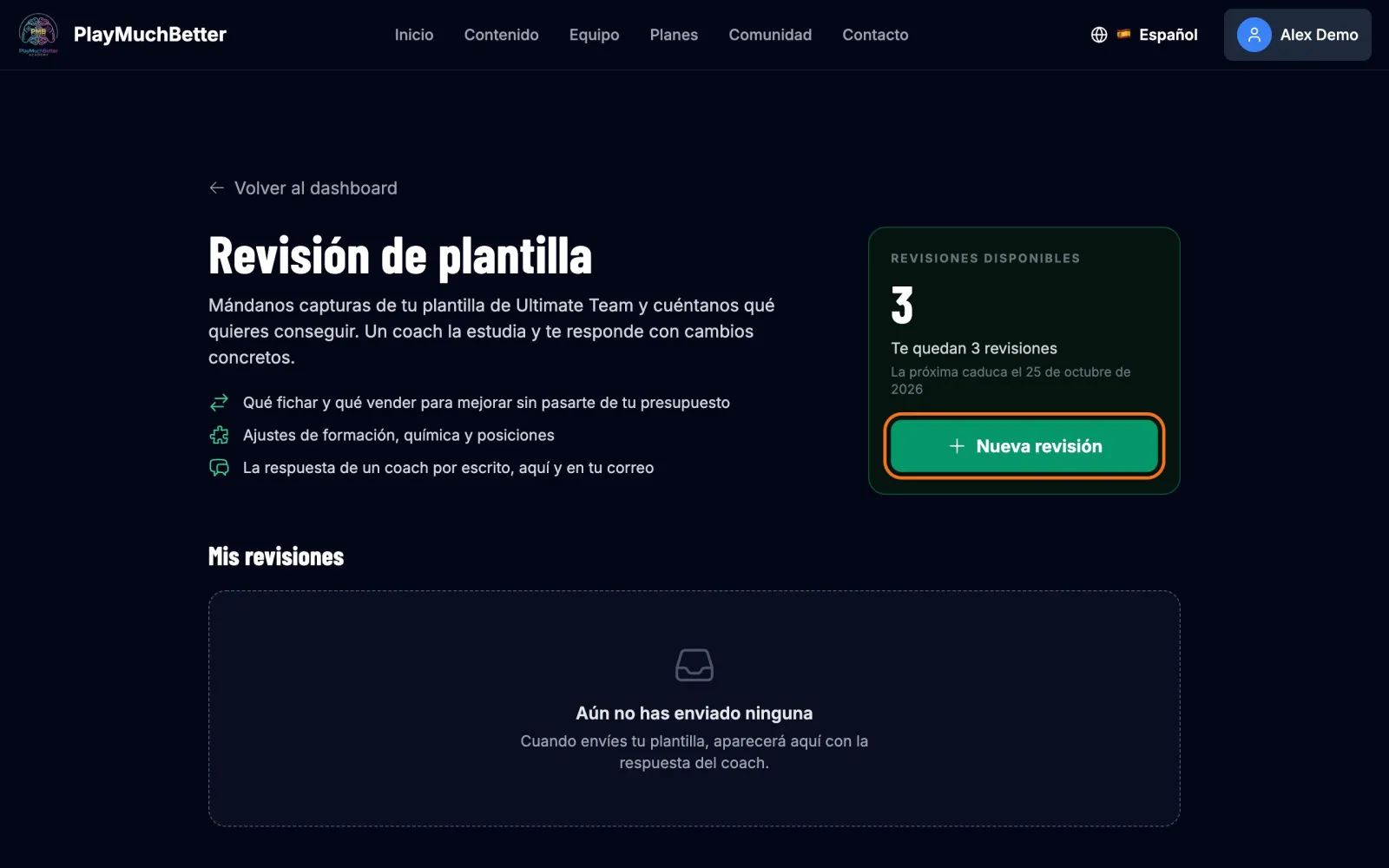
Open "Squad review"
On your dashboard, under Quick Stats, press Squad reviews. At the top right you see how many you have left and when the next one expires. Press New review.
- 2
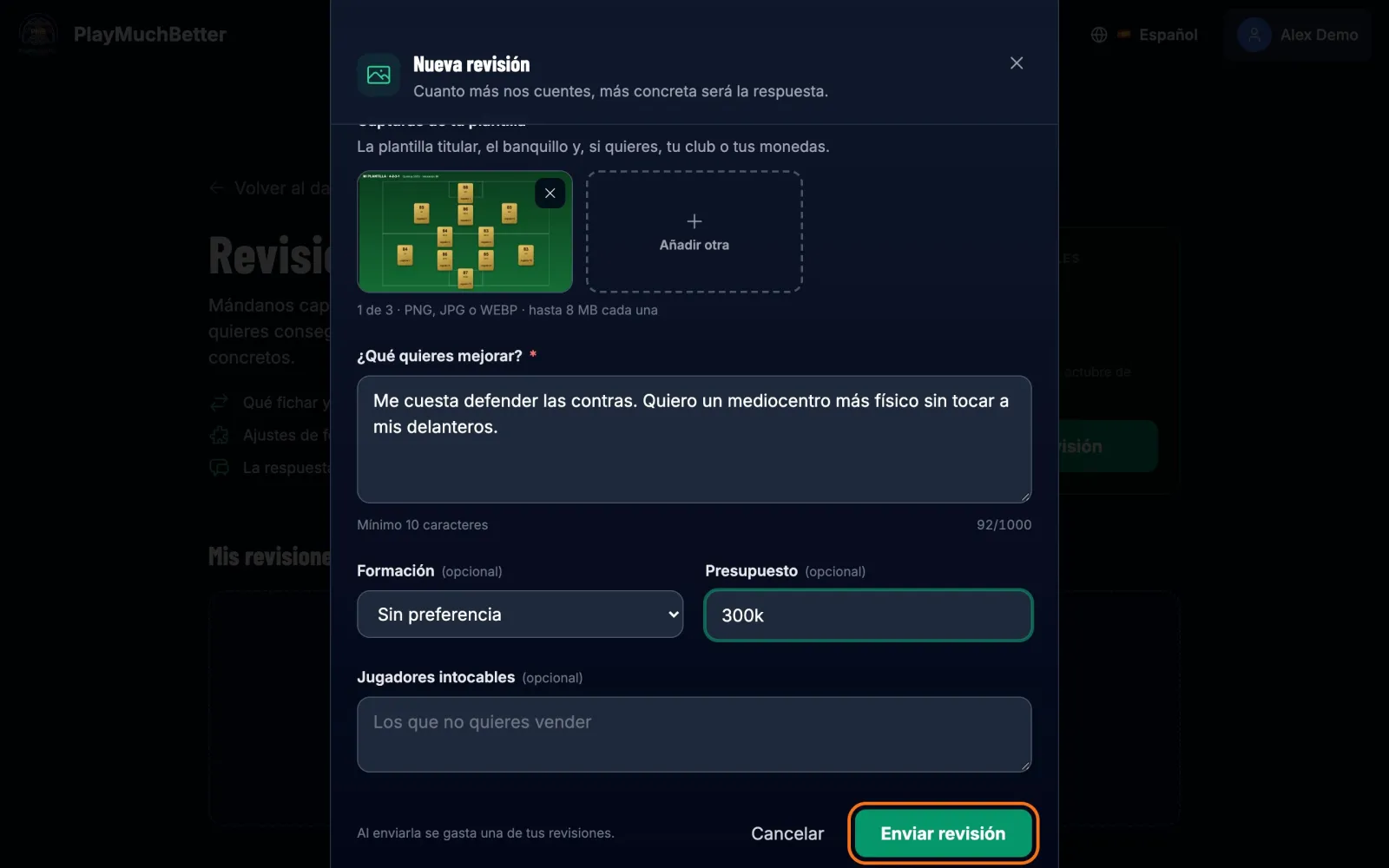
Upload your screenshots
1 to 3 screenshots in PNG, JPG or WEBP, up to 8 MB each: the starting squad, the bench and, if you like, your club or your coins.
- 3
Tell us what you want to improve
It's the only required field, apart from the screenshots. If you like, add your preferred formation, your budget and the players you don't want to touch. Press Send review.
- 4
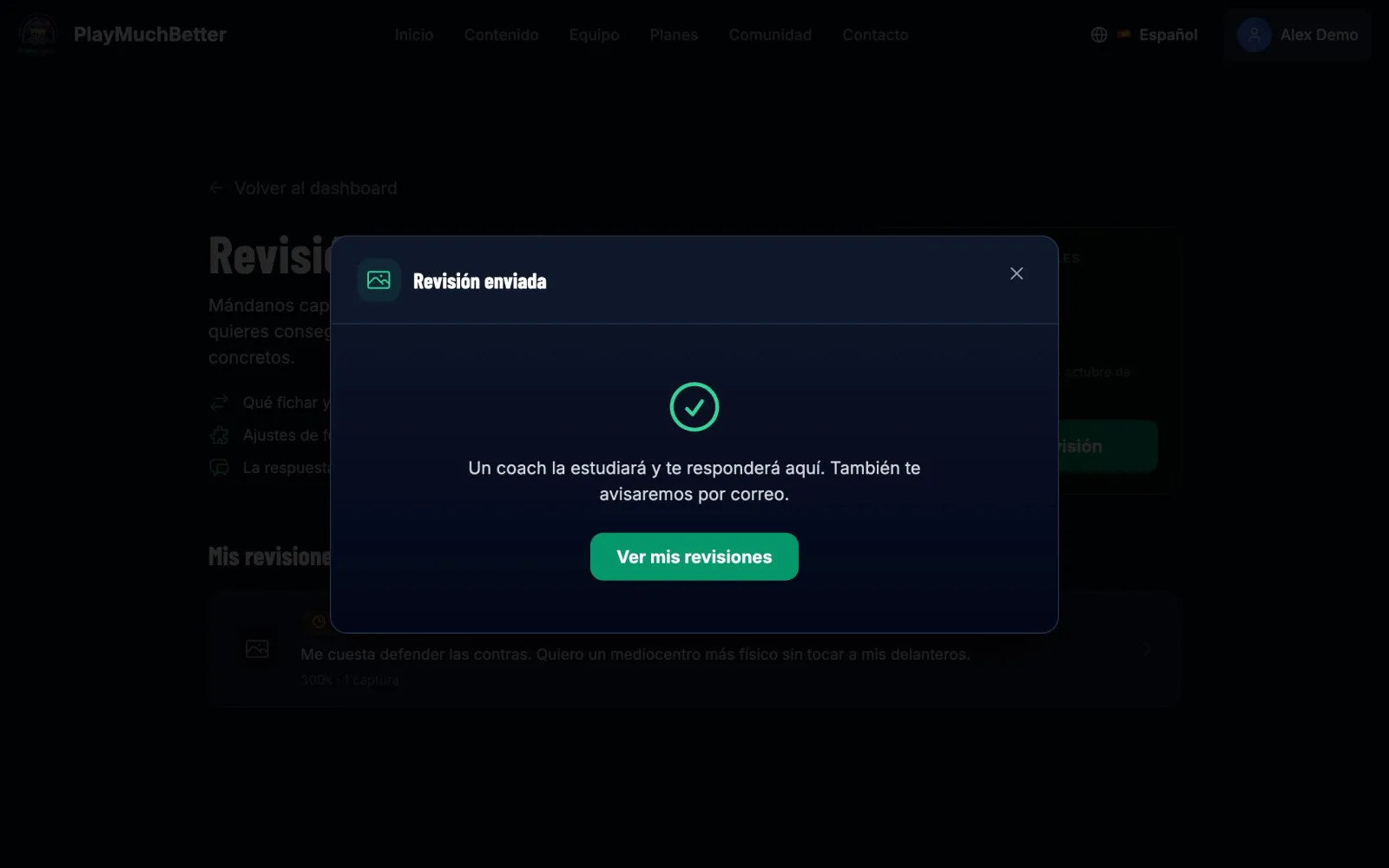
Wait for the coach's reply
Your review shows as "Pending" under "My reviews". The coach replies within 48 hours: you'll see it here, with their screenshots if they attach any, and it reaches you by email.
Your plan's reviews expire with each period: what you don't use in the month (or in the year, if you pay yearly) doesn't carry over. At the top right you see when the next one expires.
If you're in the Comunidad Chousita on Discord, you have a free review: how to claim it is in the communities guide. And if in your improvement path you chose "Get the most out of my squad", the result brings you straight here.
Stuck?
Check the FAQ or write to us.