
Request a video analysis
Send us the recording of a full EA FC 27 match and a coach analyses it: what you do well, what you get wrong and what to change.
What you need: An available analysis (included in Pro and VIP, or for 30 credits) and the recording of a full match.
Coaching is in English
1:1 sessions, video analyses and squad reviews are delivered in English (or Spanish, if you prefer).
The screenshots show the Spanish interface; the texts appear in the same order in your language.
- 1
Upload your match online
Upload it to YouTube (it can be unlisted), Google Drive, WeTransfer, Dropbox… All we need is a link we can open. A full match, from start to finish.
- 2
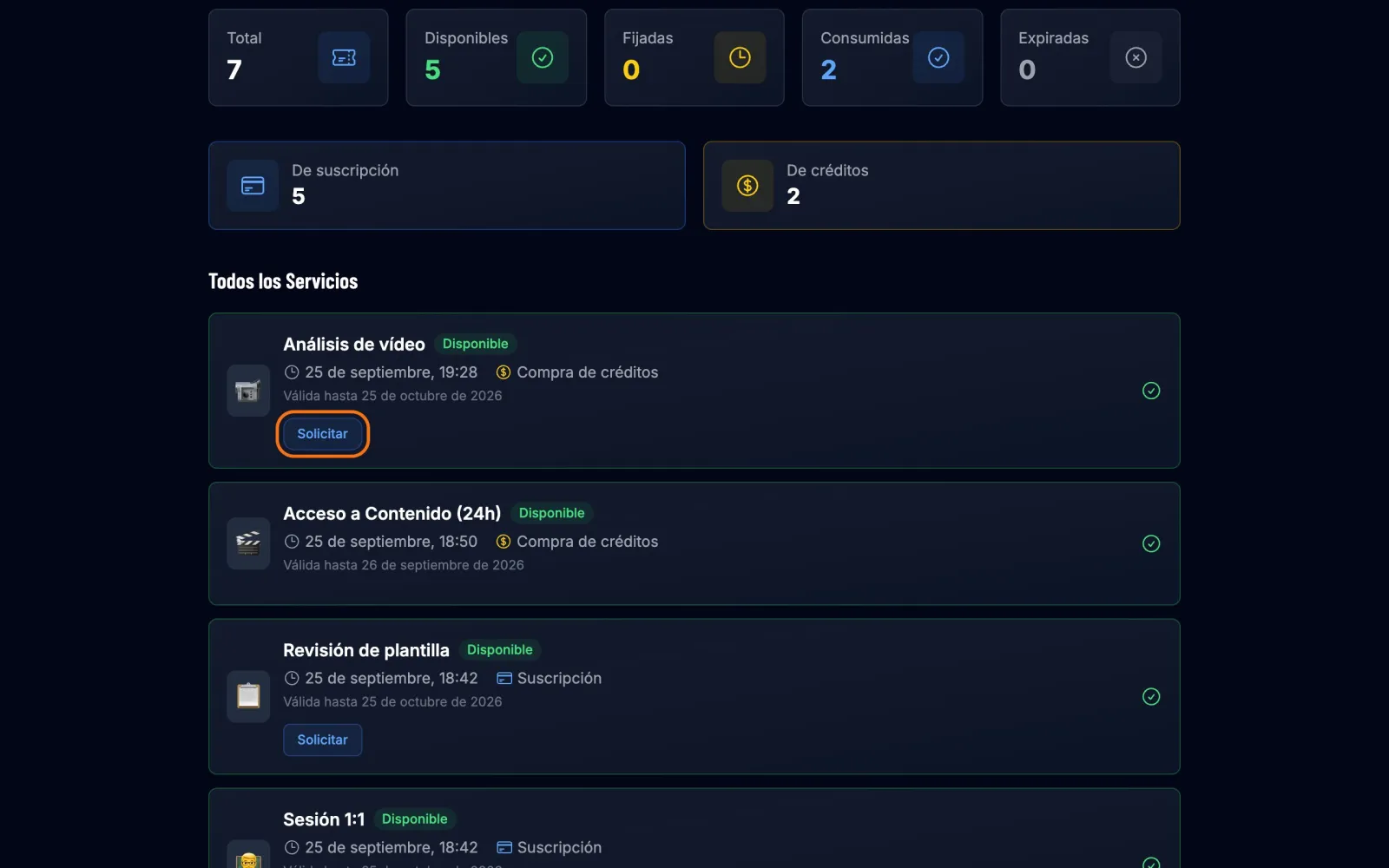
Press "Request" on your analysis
On your dashboard, under Quick Stats, press Video Analysis. On the analysis card, press Request.
- 3
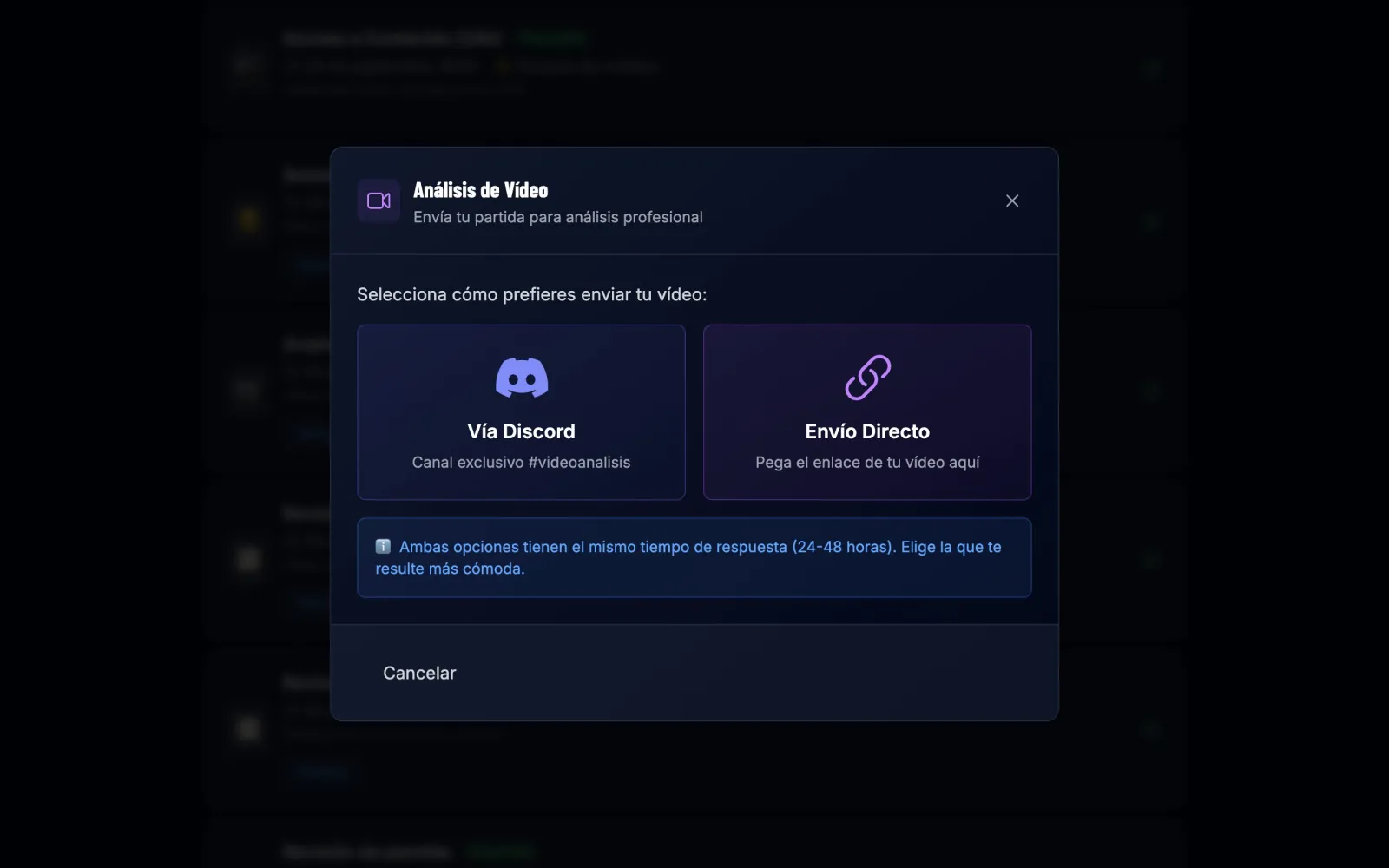
Choose how to send it
Direct upload to paste the link right here, or Via Discord to send it through our analysis channel.
- 4
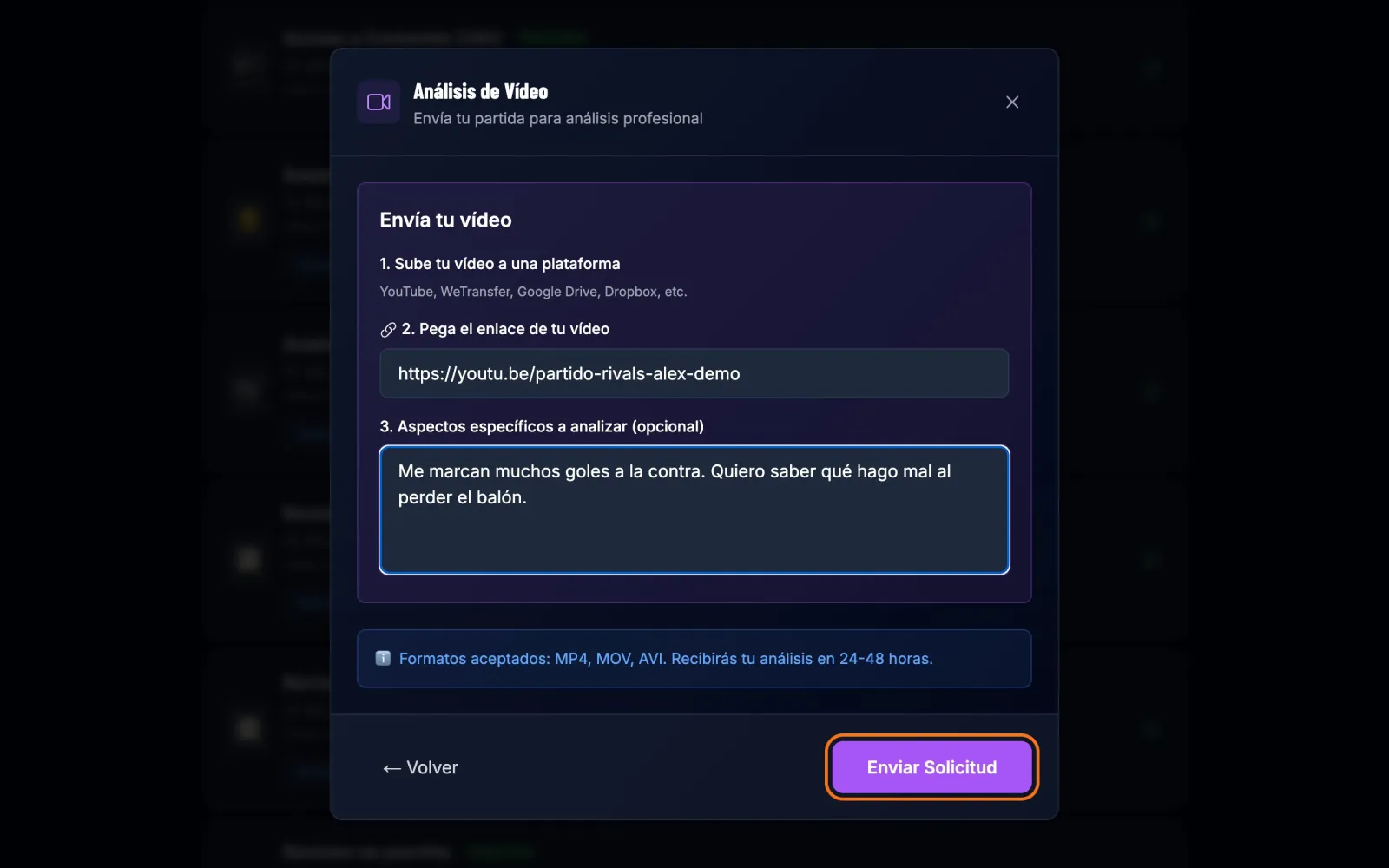
Paste the link and tell us what worries you
Paste the link and, if you like, explain what you want us to look at: "they score on the counter against me", "I can't play out from the back"… The more specific, the more useful the analysis. Press Send request.
- 5
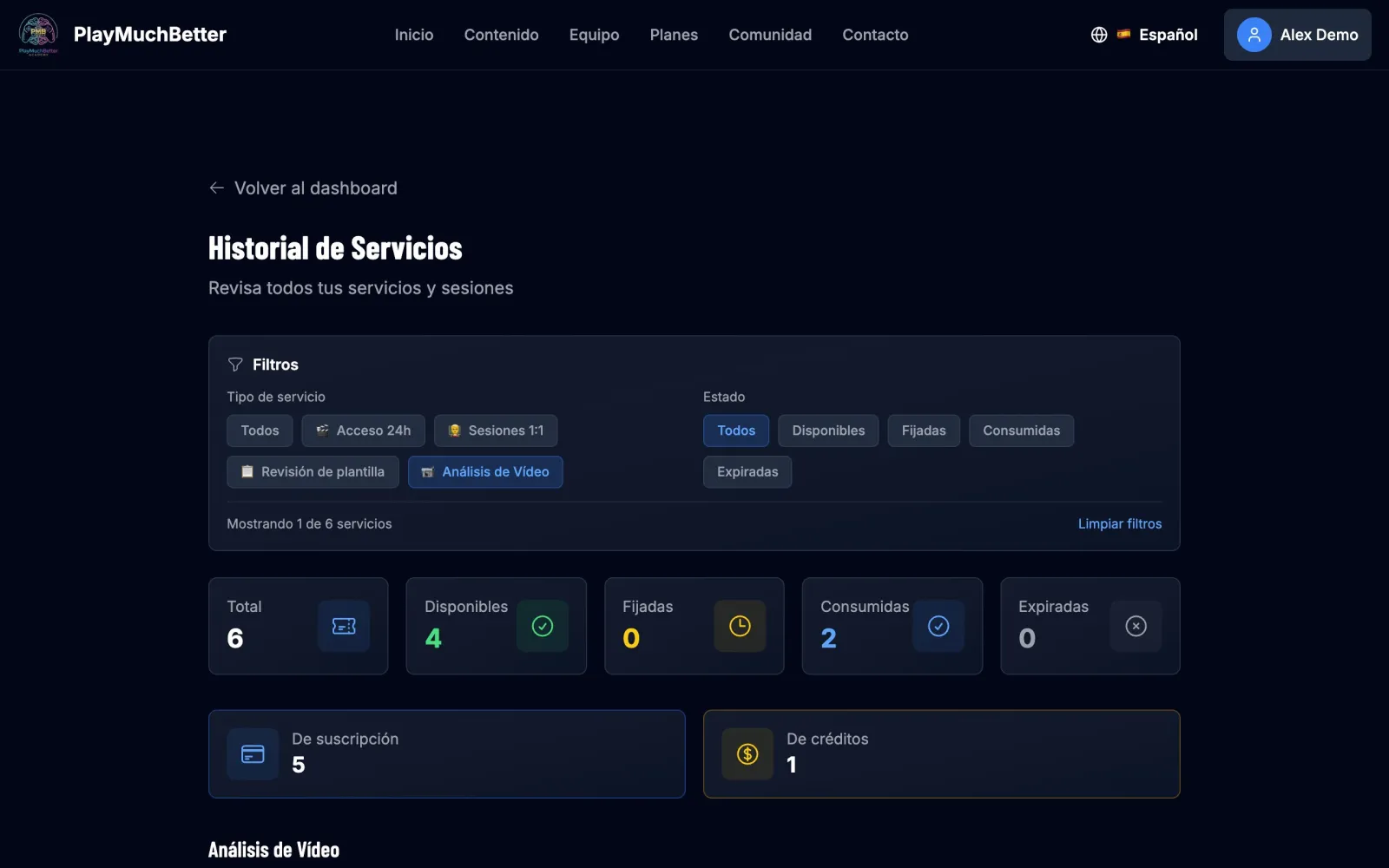
Get your analysis
Your request is logged in the service history. Within 48 hours the analysis is there (View details) and we let you know by email.
Stuck?
Check the FAQ or write to us.