
Your account and your settings
Where your account options are: the website language, which notifications you want to receive and how to sign out or delete your account.
What you need: To be signed in.
The screenshots show the Spanish interface; the texts appear in the same order in your language.
- 1
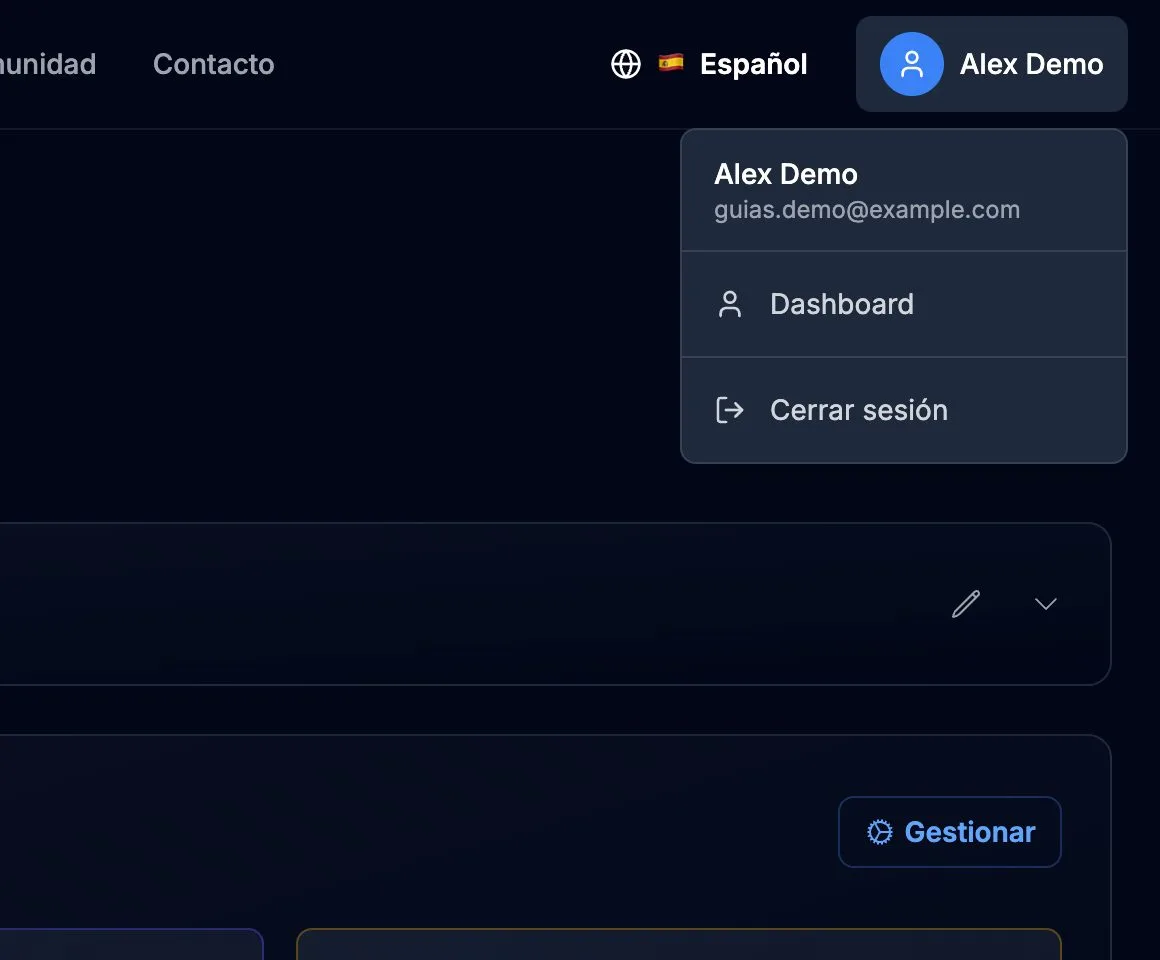
Your account menu
Press your name at the top right. From there you go to your Dashboard or Sign out.
- 2
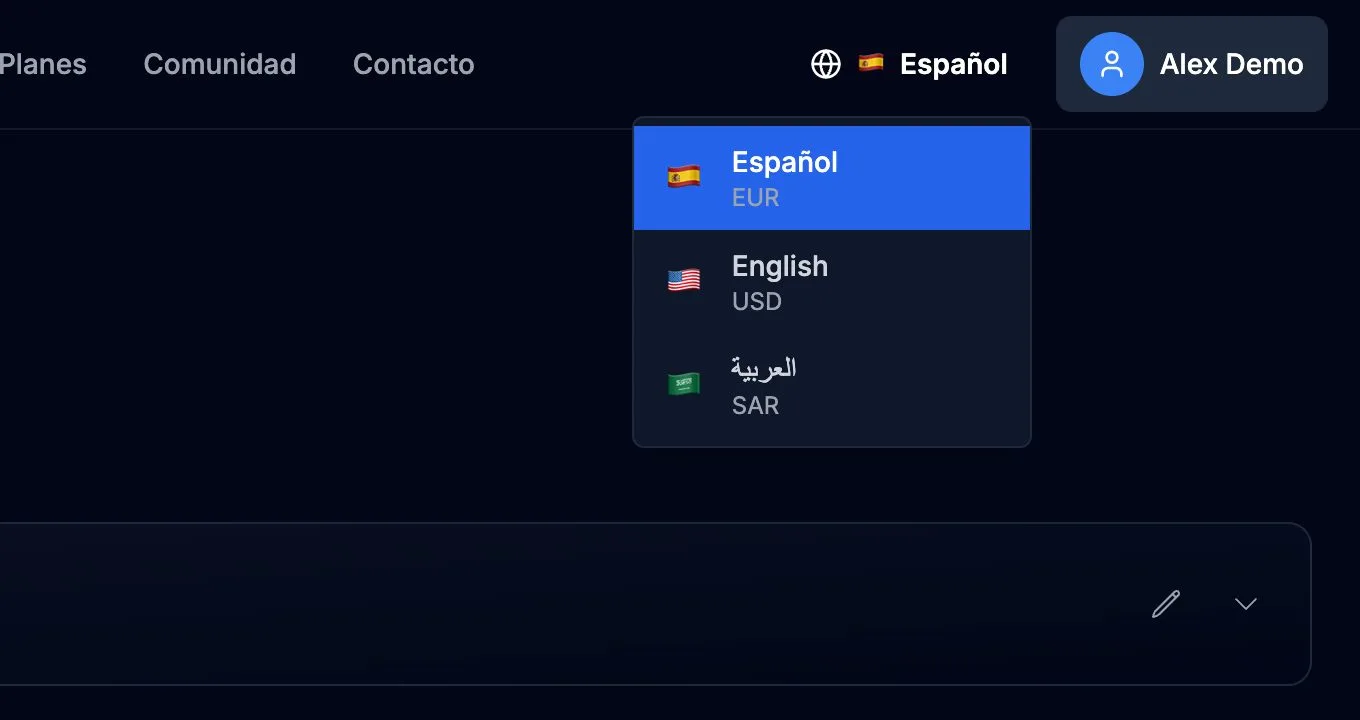
Change the language
Press the globe next to your name and choose Español, English or العربية. Each language shows prices in its currency: euros, dollars or Saudi riyals.
- 3
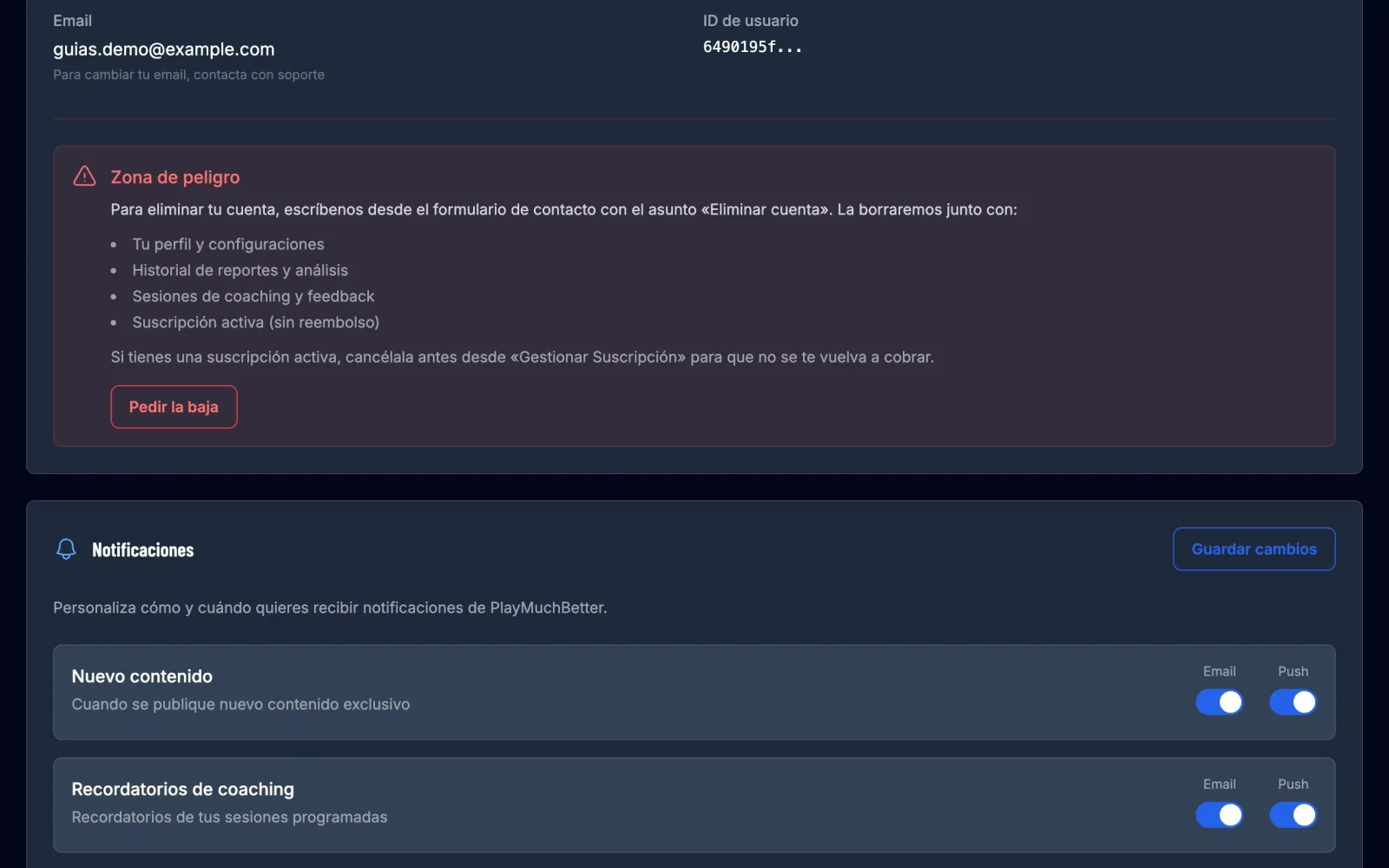
Choose which notifications to receive
In Settings, under Notifications, choose, for each kind of notice, whether you want it by email, as a push notification or not at all: new content, session reminders, reports ready, changes to your subscription and promotions. Press Save changes.
- 4
Your email and deleting your account
On the same page you see your account's email; to change it, write to us. If you only want to stop receiving our newsletters, use the unsubscribe link at the bottom of them: your account notices (payments, lessons, support) keep coming.
If you want to delete your account, press Request deletion under "Danger zone" and write to us from the contact form with the subject "Delete account". We delete it with all your data, and it can't be undone.
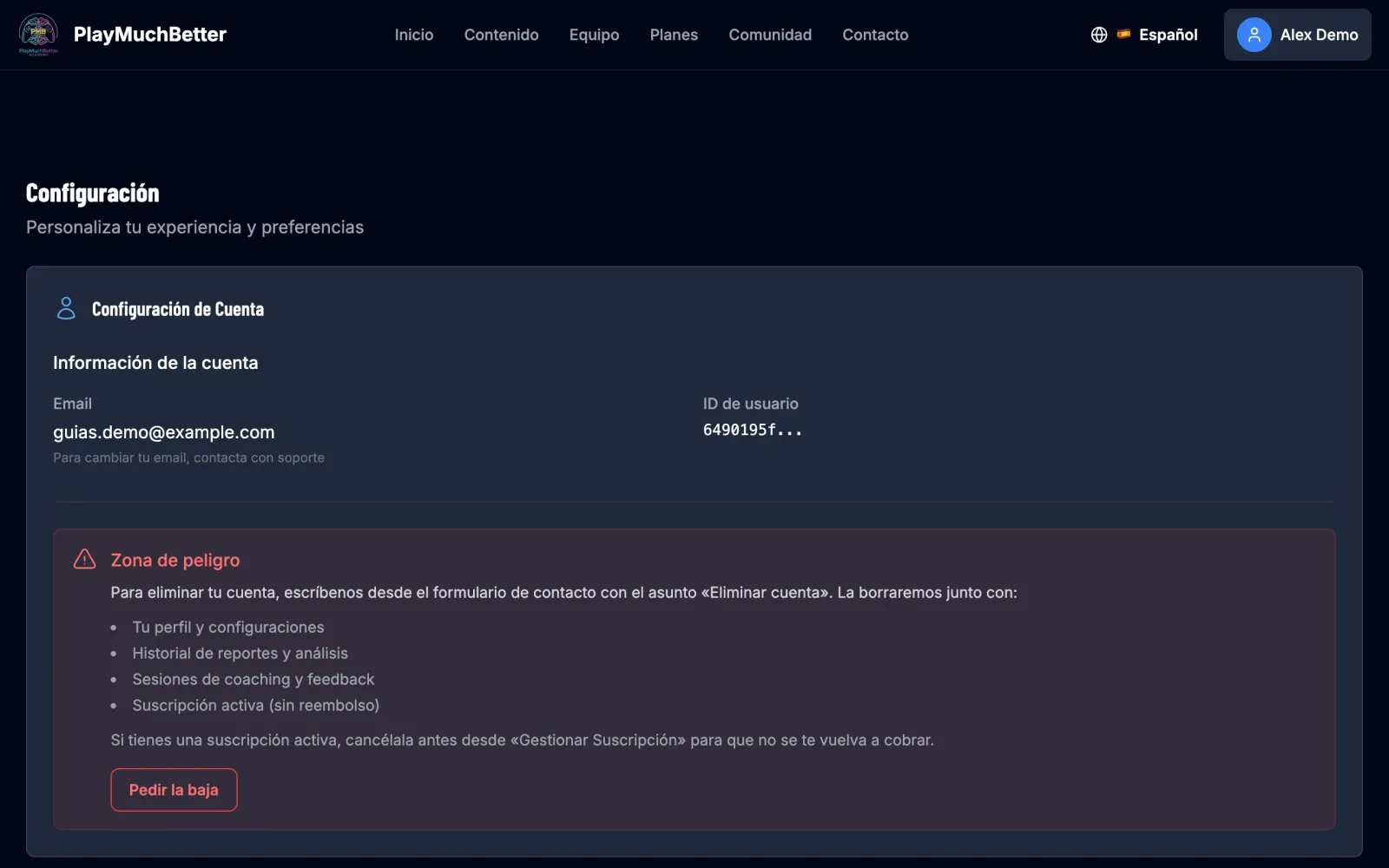 If you have an active subscription, cancel it first from "Manage subscription" so you aren't charged again.
Stuck?
Check the FAQ or write to us.